

 Q2
Q2
 QIDI Box
 Plus 4
 Q1 Pro
 X-Max 3


How Long Does a 3D Printer Last?

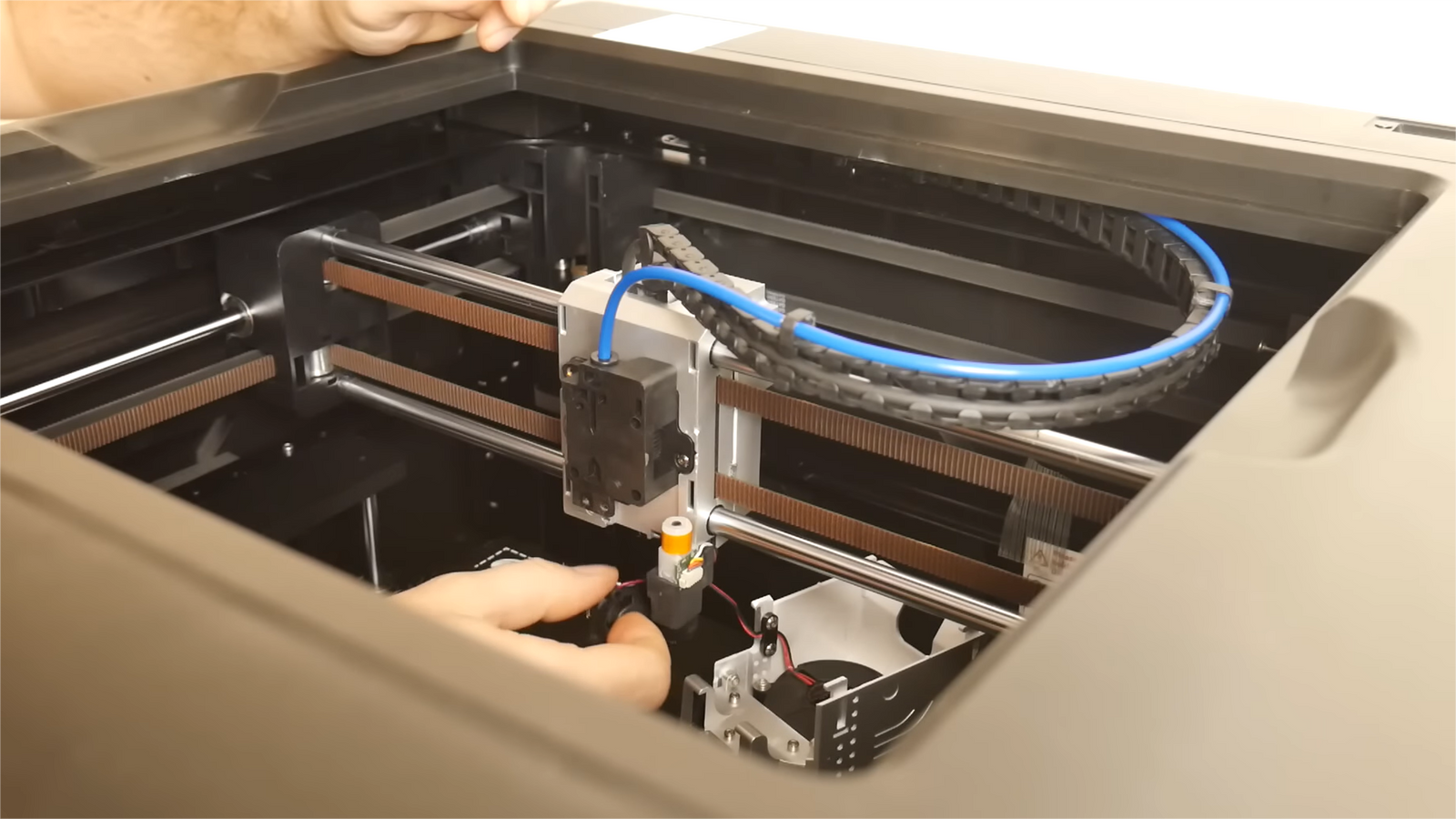
A well-maintained desktop 3D printer typically runs 1 to 3 years before it needs major repair, and a well-built machine that is cleaned, lubricated, and re-calibrated on schedule often passes 5 years. The frame and motors rarely set that limit. Consumables do: nozzles, belts, and build surfaces wear out in months, and a printer only "dies" when those stop being replaced.

As a 3D printing enthusiast or professional, you've likely marveled at the incredible creations your printer can produce. But the longevity of your machine isn't just a matter of curiosity — it's a critical factor that affects your productivity, cost-effectiveness, and even the quality of your prints. Whether you're running a business that relies on 3D printing or you're a hobbyist who's invested in this technology, understanding how to maximize your printer's lifespan can save you time, money, and frustration. From the wear and tear on mechanical parts to the impact of different materials and printing frequencies, numerous factors influence how long your 3D printer will last.
Component Lifespan at a Glance
This is the table that actually answers "how long does a 3D printer last", because a printer is not one object with one lifespan — it is a stack of parts that wear at very different rates.
| Component | Typical service life | Signs it needs replacing |
| Brass nozzle | 1–3 months of regular use; far less with abrasive filament | Widening extrusion lines, rounded corners, inconsistent flow at a known-good temperature |
| Hardened / bimetal nozzle | Substantially longer than brass on filled filaments | Same symptoms as above, just much later |
| Belts | 6–18 months | Slack that returns after tensioning, visible fraying, ghosting or layer shifts on tall parts |
| Pulleys | Several years if kept clean | Play in the shaft, grooves worn into the teeth, new whining under motion |
| Extruder gears | 1–2 years; longer with hardened steel gears | Filament grinding, flat spots on the filament, under-extrusion that no temperature change fixes |
| Flexible build plate / PEI sheet | 3–6 months of heavy use | Bare patches where prints no longer stick, permanent dents, first-layer problems in one region only |
| Glass build plate | Effectively indefinite if not chipped | Chips or cracks at the edges from aggressive part removal |
| Cooling fans | Commonly a few years of duty | Ticking, rattling, slow spin-up, or a fan that only starts when nudged |
| Motors and bearings | Around 5–7 years with proper maintenance | Grinding or notchy movement by hand, missed steps, heat build-up in the motor body |
| Frame and structure | Many years — usually outlives everything else | Rarely fails; check squareness after a hard knock or a move |
Read that table twice and the real answer emerges: the printer does not expire, the wear parts do. A machine "lasts five years" when someone replaced roughly twenty nozzles, three or four sets of belts, and a handful of build surfaces along the way. Spares for most of these are listed under accessories, with hot ends under hot end and wear-resistant options under tungsten carbide bimetal nozzles.
Lifespan in Hours, Not Just Years
"Three years" means nothing without knowing how much the machine was used. Calendar age and running hours can differ by an order of magnitude for the same model:
| Owner type | Roughly hours per year | Practical consequence |
| Occasional hobbyist (~5 h/week) | ~250 h | A nozzle can last a year or more; belts rarely need attention |
| Active hobbyist (~15 h/week) | ~750 h | Quarterly checks; nozzle changes a few times a year |
| Small studio (~40 h/week) | ~2,000 h | Consumables scheduled by hours; keep spares on the shelf |
| Print farm (~120 h/week) | ~6,000 h | Planned downtime, spare hotends, logged maintenance intervals |
These totals are arithmetic rather than survey data, but they explain why owners give wildly different answers to the same question. Two people can both say "my printer lasted three years" and mean 750 hours or 18,000. If you want to compare notes usefully, track hours — most modern firmware reports total print time. The related question of how far a single session can be pushed is covered in how long a 3D printer can run continuously.
Key Factors Determining Your 3D Printer's Longevity
1. Quality Matters: The Foundation of Durability
Established brands often offer more durable machines. Research user reviews and industry reports to gauge reliability before purchasing. A reputable brand typically invests more in research and development, resulting in longer-lasting printers.
Look for printers with robust frames, preferably metal rather than plastic. High-quality motors, bearings, and electronic components significantly extend your printer's lifespan. The materials used in construction play a crucial role in overall durability. Two specifics are worth checking on a spec sheet: whether the linear motion runs on hardened guide rails or bare rods, and whether the extruder uses hardened steel gears — both are among the parts that quietly decide whether year four is uneventful.
2. Usage Patterns: The Workload Factor
A printer used daily will naturally wear faster than one used occasionally. However, frequent use isn't necessarily detrimental if paired with proper maintenance. Consider your usage patterns when planning maintenance schedules.
Each print job stresses various components. Motors heat up, belts stretch, and nozzles erode over time. Understanding this cumulative effect helps in planning timely maintenance and part replacements. Counter-intuitively, a printer that sits unused for months is not automatically better off — grease migrates, lubricant dries, and filament left loaded absorbs moisture and can swell inside the feed path.
3. Maintenance: The Key to Longevity
Consistent cleaning and maintenance are crucial. Remove dust and debris regularly, lubricate moving parts, and ensure proper calibration. A clean printer not only lasts longer but also produces better quality prints.
Establish a proactive replacement schedule for consumable parts like nozzles and belts based on your usage. This prevents unexpected breakdowns and maintains print quality. Don't wait for parts to fail completely before replacing them — a worn nozzle does not announce itself with a failure, it just quietly degrades every print until someone compares an old part with a new one.
Lifespan of Key 3D Printer Components
1. Mechanical Parts
- Motors and Bearings: The workhorses of your printer, motors and bearings typically last around 5–7 years with proper maintenance. Heat, lack of lubrication, and dust accumulation can shorten their lifespan. Regular cleaning and lubrication are key to their longevity, and the failure mode is progressive rather than sudden — rolling-element bearings get noisier and rougher long before they seize.
- Belts and Pulleys: Belts usually require replacement every 6-18 months, while pulleys can last several years if well-maintained. Watch for signs of wear such as fraying, unusual noises, or loss of print accuracy.

2. Extruder Assembly
- Nozzle Wear: Nozzles face constant wear from abrasive filaments and high temperatures. Brass nozzles might need replacement after 1-3 months of regular use, while hardened steel and bimetal nozzles last considerably longer. Filament type, print temperature, and speed all affect nozzle wear — carbon- and glass-filled filaments are by far the most aggressive, and a brass nozzle running carbon-fiber filament can lose accuracy in a matter of days.
- Extruder Gears: Extruder gears typically last 1-2 years. However, QIDI's 3D printers use hardened steel gears, which can last significantly longer.
3. Print Bed
- Surface Material and Durability: Print bed longevity varies by material. Glass beds can last indefinitely if handled carefully, while flexible plates may need replacement every 3-6 months.
- Effects of Repeated Heating Cycles: Constant heating and cooling can stress your print bed over time, potentially leading to warping or adhesion issues. To extend its life, allow natural cooling, clean gently between prints, and avoid using excessive force when removing prints.
This knowledge of component lifespans is essential for planning timely maintenance and replacements. It ensures your printer maintains optimal performance over the years.
How Printing Materials Affect Your 3D Printer's Lifespan
1. The Diverse World of 3D Printing Materials
3D printing materials range from common plastics like PLA and ABS to exotic filaments with wood or metal additives. Each material affects your printer differently. PLA is gentle on printers, while ABS requires higher temperatures that can strain components. Exotic filaments with additives can be particularly abrasive. Resins for SLA printers pose unique challenges, with some putting extra stress on printer mechanisms due to their viscosity.
2. Material-Induced Wear and Corrosion
Different materials interact with printer components in various ways. Abrasive filaments can quickly erode nozzles, while some materials can wear down extruder gears. Certain resins may degrade plastic printer parts over time. Understanding these interactions is crucial for maintaining your printer's longevity.
The practical rule is simple: match the nozzle to the filament, not the other way round. If filled filaments are more than an occasional experiment, a hardened or bimetal nozzle pays for itself long before the brass one would have been replaced twice. Machines aimed at engineering materials ship with bimetal nozzles for exactly this reason — see the current printer range and the guide to printing carbon fiber filament.
3. Environmental Factors and Material Storage
The environment significantly impacts material quality and printer performance. Humidity can cause filaments to absorb moisture, leading to poor prints. Temperature fluctuations may alter material properties, and UV exposure can degrade or prematurely cure some materials. Proper storage in sealed containers, away from heat and light, preserves material quality and protects your printer from potential damage.
How Long Does A 3D Printer Last?
The lifespan of a 3D printer is not a fixed number, but rather a range influenced by multiple factors. While the average well-maintained printer can function effectively for 1 to 3 years before requiring major repairs, this timeframe can vary significantly based on the printer's quality, usage, and care.
High-end 3d printers from reputable manufacturers, like QIDI Tech, often outlast this average, with some continuing to operate reliably for 5 years or more when properly maintained. This longevity is typically achieved through a combination of robust initial construction and diligent upkeep by the user.
It's important to note that a 3d printer's overall lifespan doesn't necessarily reflect the durability of all its components. Various parts of the printer wear at different rates, with some requiring replacement much more frequently than others. For instance, while the printer's frame and main structure might last for many years, components like nozzles, belts, and print beds may need replacement on a scale of months rather than years.
The key to maximizing your printer's lifespan lies in understanding these varying component lifespans and implementing a proactive maintenance strategy. By replacing wear-prone parts before they fail and keeping up with regular cleaning and calibration, you can significantly extend your printer's useful life. This approach not only increases the longevity of your machine but also ensures consistent print quality and reduces the likelihood of unexpected breakdowns.
Ultimately, viewing your 3D printer's lifespan as a product of your care and maintenance efforts, rather than a predetermined expiration date, can help you get the most value and productivity from your investment.

When Is a 3D Printer Actually Finished?
Machines are usually retired for one of four reasons, and only one of them is genuine mechanical death:
- Parts are no longer available. This is the most common real end. When a proprietary hotend, board, or plate can no longer be bought, the next failure becomes terminal — which is why long-term parts availability is worth checking before you buy, not after.
- The repair costs more than a replacement. A failed mainboard on an entry-level machine can approach the price of a newer one. On a mid-range machine, the same board is a routine fix.
- Capability, not condition. Plenty of retired printers still work perfectly; they were simply slower, smaller, or unable to handle the material the owner now needs. That is an upgrade decision, not a lifespan one.
- Neglect compounded. A skipped nozzle change becomes a clog, becomes a heat-creep failure, becomes a damaged extruder. Almost every "it died" story has this shape.
Only the last of these is preventable purely through maintenance — which is precisely why maintenance is worth the effort.
How to Maximize Your 3D Printer's Lifespan
Your 3D printer's longevity depends largely on how you use and maintain it. By following some simple practices, you can significantly extend its useful life and ensure consistent print quality.
1. Optimal Operating Practices
- Follow manufacturer-recommended print settings to reduce wear and tear.
- Balance printing speed with quality to avoid straining motors.
2. Proactive Maintenance
- Implement regular check-ups: weekly inspections, monthly calibrations, quarterly cleaning.
- Keep moving parts clean and lubricated.
- Store filaments properly to prevent moisture absorption.
- Replace wear-prone parts (nozzles, belts, print beds) before they fail.
3. Firmware Updates
- Keep firmware up-to-date, checking for compatibility first.
These practices will extend your printer's life and maintain print quality. Regular maintenance and careful use are key to long-term performance.
FAQs About 3D Printer Lifespan
How long do 3D printers last?
Most well-maintained desktop machines run 1 to 3 years before needing a major repair, and better-built ones commonly reach 5 years or more. Those figures assume consumables are replaced along the way; without that, quality degrades long before any structural part fails.
How many hours does a 3D printer last?
There is no published hour rating the way there is for a car engine, because the machine is maintained part by part rather than replaced whole. A more useful framing: a hobbyist logs a few hundred hours a year and a small studio around 2,000, so "three years old" can mean anything from under a thousand hours to well over ten thousand. Track hours and schedule consumables against them.
Which part of a 3D printer wears out first?
The nozzle, by a wide margin — 1 to 3 months on brass with regular use, and dramatically less with carbon- or glass-filled filament. Build surfaces are second at 3 to 6 months of heavy use, then belts at 6 to 18 months.
Does printing every day shorten a 3D printer's life?
It consumes wear parts faster in calendar terms, but daily use is not inherently harmful — a printer in regular use is often in better condition than one that sat unused for a year with dried lubricant and filament left in the extruder. What matters is that maintenance intervals follow hours rather than dates.
Is it worth repairing an old 3D printer?
Usually yes, while parts are still available and the repair costs a fraction of a replacement. Nozzles, fans, belts, plates, and hotends are inexpensive and user-serviceable. The calculation changes when a proprietary board or an unavailable part is involved.
How can I tell if my nozzle is worn out?
Extrusion lines get wider than the slicer expects, corners lose definition, and flow calibration drifts even though temperature and filament have not changed. Hold an old nozzle next to a new one and look at the orifice — the difference is usually visible.
Maximizing Your 3D Printer's Potential
In conclusion, the longevity of your 3D printer is influenced by various factors, including the quality of its components, your usage patterns, and your maintenance practices. By understanding the lifespan of key components, the impact of different printing materials, and the importance of staying current with technological advancements, you can make informed decisions to extend your printer's life. Implementing optimal operating practices, performing proactive maintenance, and keeping your firmware up-to-date will help you maximize your 3D printer's potential, ensuring that it continues to bring your creative visions to life for years to come.
Read More
- Component Lifespan at a Glance
- Lifespan in Hours, Not Just Years
- Key Factors Determining Your 3D Printer's Longevity
- 1. Quality Matters: The Foundation of Durability
- 2. Usage Patterns: The Workload Factor
- 3. Maintenance: The Key to Longevity
- Lifespan of Key 3D Printer Components
- 1. Mechanical Parts
- 2. Extruder Assembly
- 3. Print Bed
- How Printing Materials Affect Your 3D Printer's Lifespan
- 1. The Diverse World of 3D Printing Materials
- 2. Material-Induced Wear and Corrosion
- 3. Environmental Factors and Material Storage
- How Long Does A 3D Printer Last?
- When Is a 3D Printer Actually Finished?
- How to Maximize Your 3D Printer's Lifespan
- 1. Optimal Operating Practices
- 2. Proactive Maintenance
- 3. Firmware Updates
- FAQs About 3D Printer Lifespan
- How long do 3D printers last?
- How many hours does a 3D printer last?
- Which part of a 3D printer wears out first?
- Does printing every day shorten a 3D printer's life?
- Is it worth repairing an old 3D printer?
- How can I tell if my nozzle is worn out?
- Maximizing Your 3D Printer's Potential
- Read More
Recommended products






