

 Q2
Q2
 QIDI Box
 Plus 4
 Q1 Pro
 X-Max 3


What Are the Different Types of FDM 3D Printers?

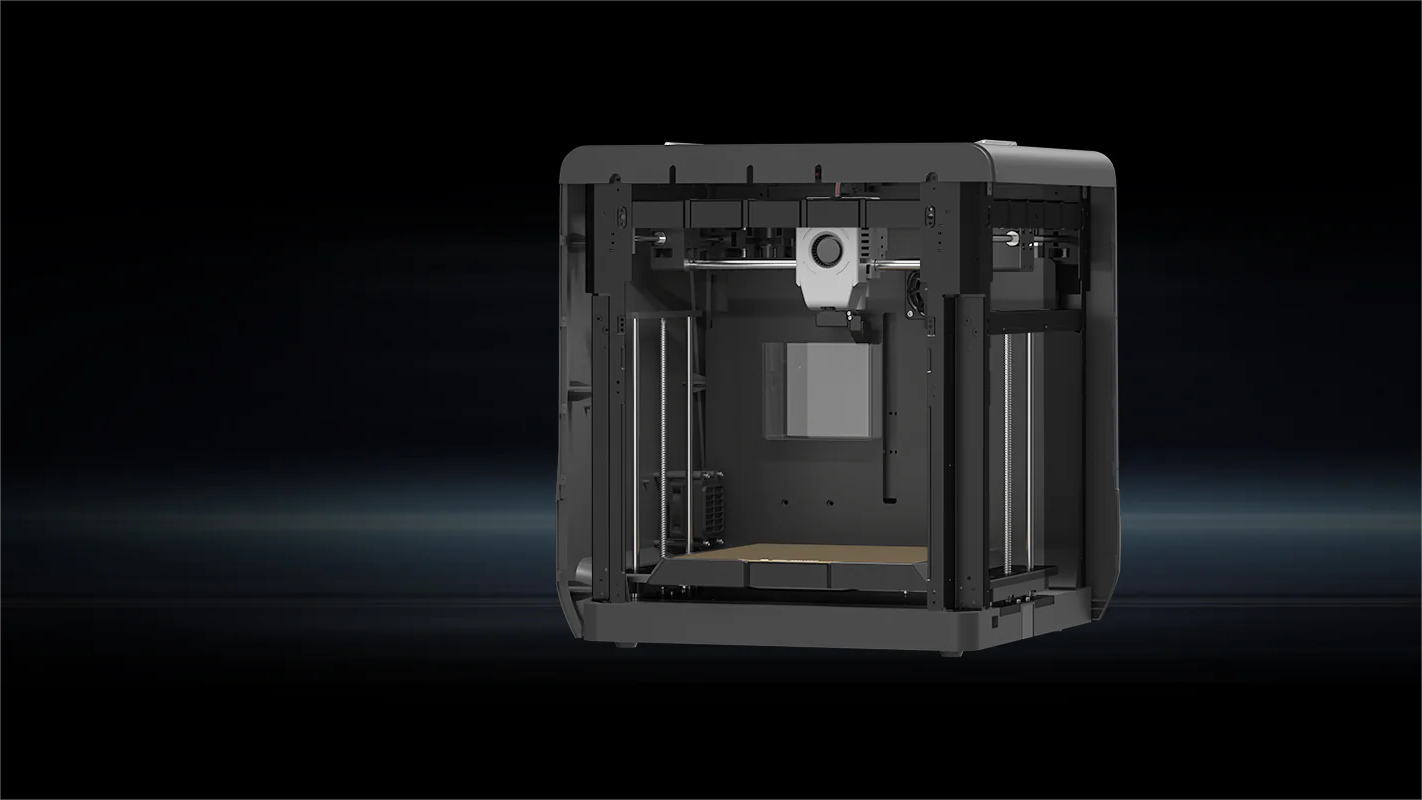
FDM 3D printers are grouped by how the toolhead moves, and there are seven types in common use: Cartesian X-Y-Z, CoreXY, H-Bot, delta, polar, SCARA and belt. Cartesian and CoreXY dominate desktop machines, delta suits tall cylindrical parts, polar and SCARA remain rare, and belt printers exist to print one axis without a length limit.
FDM is one of the most widely used 3D printing technologies, allowing users to create a wide range of physical objects from digital designs. This comprehensive guide will explore the various types of FDM printers, including their unique characteristics, capabilities, and applications. Whether you're a beginner or an experienced 3D printing enthusiast, understanding the differences between Cartesian, Delta, Polar, SCARA, and Belt FDM printers will help you select the right machine for your specific needs and projects.
A Quick Comparison Sheet
| Printer Type | Design Features | Pros | Cons |
|---|---|---|---|
| Cartesian (X-Y-Z) | Print head moves in X and Y axes, build platform moves in Z axis | Simple, versatile, good for beginners | Slower print speeds, less precision |
| CoreXY | Belt-driven system for X and Y movement | Fast, precise, good for high-detail prints | Complex maintenance, higher cost |
| H-Bot | Single-belt mechanism for X and Y movement | Improved performance, simpler than CoreXY | Mechanical backlash, less rigidity |
| Delta | Three vertical arms, circular build platform | High-speed, tall print volumes | Complex setup, precision issues |
| Polar | Rotating build platform, radial print head movement | Simpler mechanics, efficient space use | Software complexity, limited support |
| SCARA | Robotic arm with rotary joints | Speed, flexibility, efficient space use | High cost, complex setup |
| Belt | Conveyor belt build platform, angled print head | Continuous printing, ideal for long objects | Stability issues, limited build width/height |
What is FDM?
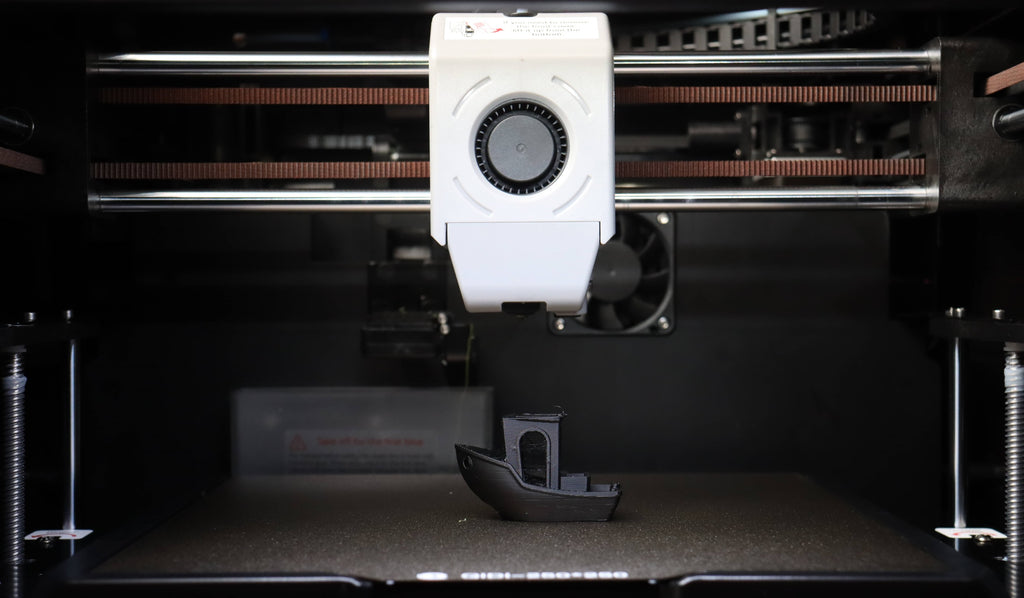
Fused Deposition Modeling (FDM) is a 3D printing method where a plastic filament is heated until it melts and then extruded layer by layer to build a three-dimensional object. This process is controlled by a computer that follows a digital design, allowing for precise and repeatable production of complex shapes. FDM is known for its simplicity, cost-effectiveness, and ability to use a variety of materials. The generic, trademark-free name for the same process is fused filament fabrication, which is why the two terms appear interchangeably in specifications.
The Role of FDM in the Evolution of 3D Printing
Since its inception, FDM has significantly contributed to the advancement of 3D printing technology. It has democratized access to 3D printing, making it possible for individuals, small businesses, and educational institutions to experiment with and utilize 3D printing without the need for expensive equipment. FDM has paved the way for innovative applications across various fields, from prototyping and manufacturing to art and medicine.
How Do FDM Printers Work?
FDM printers operate by feeding a thermoplastic filament through a heated nozzle. The filament melts as it passes through the nozzle and is deposited onto a build platform. The printer moves the nozzle in precise patterns, laying down successive layers of material that fuse together to form the final object. The build platform typically moves vertically to accommodate each new layer, while the nozzle moves horizontally to create the shape of each layer. This process continues until the entire object is completed.
Why Kinematics Is the Right Way to Classify FDM Printers
Kinematics is the arrangement of motors, belts and joints that converts a coordinate in a G-code file into physical toolhead motion. It is the most useful classification for FDM because it determines the three things buyers actually care about: how much mass has to accelerate and stop, how stiff the frame has to be to keep that motion accurate, and what shape the build volume ends up being. Firmware projects organise their configuration the same way — the Klipper kinematics reference treats Cartesian, CoreXY, delta and polar as separate motion models rather than as marketing categories.
The practical consequence: a printer's kinematics sets its ceiling, and its frame, belts and firmware decide how close to that ceiling it actually gets. Two CoreXY machines can differ by 2× in usable acceleration.
What Are Cartesian 3D Printers
The Cartesian coordinate system is a mathematical concept that uses three axes-X, Y, and Z-to define a point in three-dimensional space. In Cartesian 3D printers, this system is employed to control the movement of the print head and the build platform. Each axis corresponds to a specific direction: the X-axis moves left to right, the Y-axis moves front to back, and the Z-axis moves up and down.
X-Y-Z Cartesian Printers
X-Y-Z Cartesian printers are the most common type of 3D printers. They feature a straightforward design where the print head moves along the X and Y axes, while the build platform moves along the Z-axis. This design is simple and easy to understand, making it ideal for beginners.
These printers are versatile and suitable for a wide range of applications, from creating prototypes to producing functional parts. However, they can be limited by slower print speeds and less precision compared to more advanced designs.
A common sub-variant is the bed-slinger, where the Y axis moves the printed part back and forth on the bed instead of moving the toolhead. It is cheap to build, but the moving mass grows as the print grows, so the practical acceleration limit drops during a tall print — the opposite of what you want.
CoreXY Printers
CoreXY printers use a unique belt-driven system that allows for faster and more precise movement of the print head. Unlike X-Y-Z Cartesian printers, CoreXY printers move the print head in both the X and Y directions simultaneously, using a pair of belts arranged in a specific pattern described in the RepRap CoreXY documentation.
The design of CoreXY printers offers increased speed and precision, making them ideal for high-detail prints and more complex geometries. They are often preferred by users who need faster production times without sacrificing quality. The mechanical reason is worth understanding: both X and Y motors are bolted to the frame rather than carried on a moving axis, so the only mass being accelerated is the toolhead itself. That is what allows current desktop CoreXY machines to run at 600 to 800 mm/s with accelerations of 20,000 to 30,000 mm/s², figures a bed-slinger of the same price cannot reach.

H-Bot Printers
H-Bot printers use a single-belt mechanism to control the movement of the print head. This design is somewhat similar to CoreXY but uses fewer components, which can simplify maintenance and reduce costs.
While H-Bot printers can offer improved performance over traditional X-Y-Z Cartesian printers, they may suffer from issues like mechanical backlash and less rigidity. The specific weakness is that a single belt applies a twisting moment to the gantry during diagonal moves, so the frame has to be stiff enough to resist racking — which is exactly the problem CoreXY's second belt solves.
What are Delta 3D Printers?
Delta 3D printers use a unique kinematic system that sets them apart from Cartesian printers. Instead of moving a print head along traditional X, Y, and Z axes, Delta printers use three vertical arms connected to the print head, an arrangement borrowed from the industrial delta robot. These arms move up and down to control the position of the print head, allowing for fast and efficient printing.
Vertical Arms and Circular Beds
Delta printers are designed with three vertical arms and a circular build platform. The print head is suspended by these arms, which move in harmony to position the print head accurately over the build area. The circular bed provides a different approach to printing, often resulting in faster print speeds.
Pros and Cons of Delta Printers
Pros:
- Speed: Delta printers are known for their high-speed printing capabilities. The design allows for quick movements, making them ideal for large prints that need to be completed quickly.
- Print Volume: The vertical arm design of Delta printers allows for taller print volumes, making them suitable for projects that require larger objects.
Cons:
- Complexity: The unique kinematics of Delta printers can make them more complex to set up and calibrate compared to Cartesian printers.
- Precision: While they are fast, Delta printers may sometimes lack the precision needed for very detailed prints. The design can introduce slight inaccuracies, especially in smaller objects.
Delta printers are a great choice for users who need high-speed and large-volume printing. But they do require a bit more technical know-how to operate effectively. One structural trade-off is often missed: because the arms are longest and most angled at the edge of the circular bed, positional accuracy is not uniform across the build area, and the usable diameter is smaller than the advertised one.
What are Polar 3D Printers?
Polar 3D printers use a polar coordinate system instead of the traditional Cartesian coordinates. This system involves rotating the build platform and moving the print head radially, which can simplify certain types of movements and potentially reduce the complexity of the mechanical design.
Polar Coordinate System
In a polar coordinate system, positions are defined by an angle and a distance from a central point. For Polar 3D printers, this means the build platform rotates (providing the angular position) and the print head moves in and out from the center (providing the radial position). This type of movement can be more efficient for certain shapes and can reduce the need for complex linear movements.
Design Features
Polar 3D printers typically have a circular build platform that rotates to create the angular movement. The print head is mounted on an arm that extends and retracts to change the radial position. This design can result in fewer moving parts compared to Cartesian printers, potentially reducing maintenance needs.
Pros and Cons of Polar Printers
Pros:
- Simplicity of Mechanics: With fewer moving parts, Polar printers can be easier to maintain and potentially more reliable.
- Efficient Use of Space: The circular build platform can make better use of the available space, sometimes allowing for larger prints within a smaller overall printer footprint.
Cons:
- Software Complexity: The unique movement system requires specialized software to convert standard 3D models into polar coordinates, which can be more complex to use and troubleshoot.
- Limited Adoption: Polar printers are less common than Cartesian or Delta printers, which means there might be fewer resources and community support available.
Polar 3D printers offer an interesting approach to 3D printing with their unique coordinate system and mechanical simplicity. They can be a good choice for specific applications but may require more specialized knowledge to operate effectively. A concrete limitation to keep in mind: the linear speed at the outer edge of a rotating bed is far higher than near the centre for the same angular speed, so extrusion has to be modulated by radius to keep line width constant.
What are SCARA 3D Printers?
SCARA stands for Selective Compliance Assembly Robot Arm. SCARA 3D printers use a robotic arm to move the print head, which provides a unique combination of speed and flexibility. These printers are more commonly found in industrial settings due to their specialized design and capabilities.
Robotic Arm Movement
SCARA printers use a robotic arm with two rotary joints that allow the print head to move in a wide range of motions. This arm can move quickly and accurately, making it ideal for complex and detailed prints. The arm's design also allows for more efficient use of space, as it can reach different areas of the build platform without needing to move the platform itself.
Design Features
The SCARA design includes a fixed base with an arm that can extend and rotate. This setup allows the print head to move in an arc, which can be more efficient and faster than the linear movements of Cartesian printers. The flexibility of the arm also makes it easier to print in hard-to-reach areas and create more intricate designs.
Pros and Cons of SCARA Printers
Pros:
- Speed and Flexibility: SCARA printers can move the print head quickly and with high precision, making them suitable for detailed and complex prints.
- Efficient Space Utilization: The robotic arm can reach different parts of the build platform without moving the platform itself, which can save space and reduce the complexity of the machine.
Cons:
- Complexity and Cost: The advanced technology and precision components of SCARA printers can make them more expensive and complicated to set up and maintain.
- Limited Consumer Use: Due to their complexity and cost, SCARA printers are mostly used in industrial applications rather than by hobbyists or small businesses.
SCARA 3D printers offer a powerful combination of speed and flexibility, making them ideal for industrial applications that require detailed and complex prints.
What Are Belt 3D Printers
Belt 3D printers use a conveyor belt as the build platform. The print head is angled, typically at 45 degrees, allowing the printer to build layers diagonally. As the belt moves, finished sections of the print are carried away, making room for new sections. This setup enables the printing of objects of almost any length.
Ideal Uses for Belt 3D Printers
- Mass Production of Small Parts
These printers are great for producing many small parts continuously, like brackets and connectors, without needing to stop.
- Printing Long Objects
Belt printers can easily handle long items that are difficult to print on standard 3D printers, such as beams, pipes, and large costume pieces.
- Automated Workflows
Their continuous printing capability makes belt printers ideal for automated production lines, reducing the need for manual intervention and boosting efficiency.
Considerations for Build Size and Stability
- Build Size Limitations
While belt printers can print objects of unlimited length, the width and height are limited by the printer's build area. Parts should be designed to fit within these dimensions.
- Object Stability
Maintaining stability during printing is crucial. The moving belt can cause issues, especially for tall or intricate designs. Ensuring good adhesion to the belt and considering the center of gravity can help keep prints stable.
- Material Choices
Choosing materials that stick well to the belt and stay stable during printing is important. Experimenting with different materials and settings can help achieve the best results.
Belt 3D printers offer unique advantages for continuous and large-scale printing projects. Understanding their strengths and limitations can help users maximize these innovative machines. One caveat that rarely appears in marketing material: the angled coordinate system means slicing needs software support for the specific belt geometry, and the sheared layer orientation changes where the part is weakest under load.
Comparative Analysis of FDM Printer Types
1. Speed and Accuracy
Speed varies among FDM printers. Standard FDM printers are generally slower, while CoreXY and Delta printers are faster due to their efficient mechanical designs. When it comes to accuracy, Cartesian printers offer good precision suitable for most applications. CoreXY printers enhance this precision with their stable motion system, and Delta printers excel in printing tall objects with fine details, though they can be harder to calibrate.
2. Build Volume
Build volume capabilities differ across printer types. Cartesian printers typically have a cubic build volume, making them versatile but limited by the machine's physical size. CoreXY printers often provide larger horizontal build volumes within a compact footprint. Delta printers feature a cylindrical build volume, ideal for tall objects but restricted in base area.

3. Material Compatibility
Most standard FDM printers can handle common materials like PLA, ABS, and PETG, but their ability to print advanced materials like TPU or nylon depends on the extruder and heated bed quality. Advanced FDM printers, including some CoreXY and Delta models, can print a wider range of materials, including high-temperature filaments and composites. In practice the two hardware facts that decide material range are the hotend's maximum temperature and whether the chamber is actively heated — a 370 °C hotend covers nylon, PC and PA-CF, and a 65 °C chamber is what stops tall ABS or ASA parts splitting between layers.
4. Maintenance, Cost, and User-Friendliness
Maintenance needs vary. Cartesian printers are relatively easy to maintain with straightforward parts replacement. CoreXY printers, though efficient, have more complex belt systems making maintenance trickier. Delta printers require precise calibration, posing a challenge for beginners.
In terms of cost, standard FDM printers are generally more affordable, making them accessible for hobbyists and beginners. CoreXY and Delta printers, especially those with advanced features, tend to be pricier but offer better performance and capabilities.
As for user-friendliness, basic Cartesian printers are the easiest to use, supported by a large community and abundant resources. CoreXY printers have a steeper learning curve but deliver better performance. Delta printers are the most challenging to master due to their unique movement and calibration requirements.
Which FDM Type Are Desktop Machines Actually Built On?
Almost every enclosed, high-speed desktop printer sold today is CoreXY, because it is the only mainstream kinematic that keeps both motors off the moving axis while still producing a rectangular build volume. QIDI's current range is a useful reference point for what that architecture delivers at each price step — all four machines are CoreXY with a direct-drive extruder, a 370 °C hotend, a 120 °C bed and load-cell automatic leveling.
| Model | Kinematics | Build Volume | Max Speed / Acceleration | Chamber | Price (Combo) |
| Q2C | CoreXY, 1.5GT belt | 270 × 270 × 256 mm | 600 mm/s / 20,000 mm/s² | Enclosed, not heated | $349 ($529) |
| Q2 | CoreXY, 1.5GT belt | 270 × 270 × 256 mm | 600 mm/s / 20,000 mm/s² | 2nd-gen heated, up to 65 °C | $499 ($649) |
| Plus 5 | CoreXY, 9 mm 1.5GT belt | 320 × 320 × 300 mm | 600 mm/s / 20,000 mm/s² | 3rd-gen heated, up to 65 °C | $749 ($899) |
| Max4 | CoreXY, 10 mm 1.5GT belt, closed-loop steppers | 390 × 390 × 340 mm | 800 mm/s / 30,000 mm/s² | 3rd-gen heated, up to 65 °C | $1,049 ($1,199) |
Read the table as evidence for a general point rather than a shopping list: within one kinematic family, the specification that changes with price is the build volume and the acceleration ceiling, not the motion principle. That is why comparing "CoreXY versus Cartesian" tells you less than comparing frame stiffness, belt width and whether the chamber is heated. Choosing between the enclosed and open versions of any of these is covered in our guide to open versus enclosed 3D printers, and the filament side is in the filament range.
Choosing the Right FDM Printer for Your Needs
Understanding the distinct types of FDM printers-Cartesian, Delta, Polar, SCARA, and Belt-helps in making an informed choice. Each type has its unique strengths, from the user-friendly Cartesian printers to the high-speed CoreXY and Delta models, and the specialized Polar and SCARA designs. By evaluating these factors against your specific projects and experience level, you can choose the FDM printer that best fits your needs, ensuring successful and efficient 3D printing. Happy printing!
FAQs About FDM 3D Printer Types
What are the main types of FDM 3D printers?
Seven: Cartesian X-Y-Z, CoreXY, H-Bot, delta, polar, SCARA and belt. They are distinguished by kinematics — how motors and belts translate a coordinate into toolhead motion. Cartesian and CoreXY account for nearly all desktop machines sold; polar and SCARA are research and industrial niches; belt printers exist for one specific job, which is printing along an unlimited Z-equivalent axis.
Is CoreXY better than Cartesian for a home printer?
For speed, yes; for simplicity, no. CoreXY keeps both X and Y motors fixed to the frame, so only the toolhead accelerates, which is why CoreXY desktop machines run at 600–800 mm/s while comparable bed-slingers are usually tuned far lower. The cost is a more involved belt path to tension and maintain. If you print occasionally and value the simplest possible repair, a basic Cartesian machine is still defensible.
What is the difference between CoreXY and H-Bot?
The number of belts and the resulting force on the gantry. H-Bot uses one belt, which applies a twisting moment to the gantry during diagonal moves and demands a very stiff frame to avoid racking. CoreXY uses two belts arranged so those forces cancel. That is the reason CoreXY became the mainstream choice and H-Bot largely did not.
Are delta printers faster than CoreXY printers?
Not automatically. Delta printers have very low moving mass, which favours high acceleration, but modern CoreXY machines have closed most of that gap while offering a rectangular build volume and simpler calibration. Delta remains attractive mainly when a part is tall and roughly cylindrical.
Which FDM printer type is best for beginners?
An enclosed CoreXY machine with automatic leveling. It removes the two things beginners most often get wrong — first-layer height and ambient temperature stability — without demanding the calibration skill a delta needs. If ABS or ASA is on your list, choose one with an actively heated chamber rather than a passive enclosure; our beginner's guide to FDM printing walks through the first-print workflow.
Read More
- What is FDM?
- The Role of FDM in the Evolution of 3D Printing
- How Do FDM Printers Work?
- Why Kinematics Is the Right Way to Classify FDM Printers
- What Are Cartesian 3D Printers
- X-Y-Z Cartesian Printers
- CoreXY Printers
- H-Bot Printers
- What are Delta 3D Printers?
- Vertical Arms and Circular Beds
- Pros and Cons of Delta Printers
- What are Polar 3D Printers?
- Polar Coordinate System
- Design Features
- Pros and Cons of Polar Printers
- What are SCARA 3D Printers?
- Robotic Arm Movement
- Design Features
- Pros and Cons of SCARA Printers
- What Are Belt 3D Printers
- Ideal Uses for Belt 3D Printers
- Considerations for Build Size and Stability
- Comparative Analysis of FDM Printer Types
- 1. Speed and Accuracy
- 2. Build Volume
- 3. Material Compatibility
- 4. Maintenance, Cost, and User-Friendliness
- Which FDM Type Are Desktop Machines Actually Built On?
- Choosing the Right FDM Printer for Your Needs
- FAQs About FDM 3D Printer Types
- What are the main types of FDM 3D printers?
- Is CoreXY better than Cartesian for a home printer?
- What is the difference between CoreXY and H-Bot?
- Are delta printers faster than CoreXY printers?
- Which FDM printer type is best for beginners?
- Read More
Recommended products






