

 Q2
Q2
 QIDI Box
 Plus 4
 Q1 Pro
 X-Max 3


Is It Worth Investing in a 3D Printer?

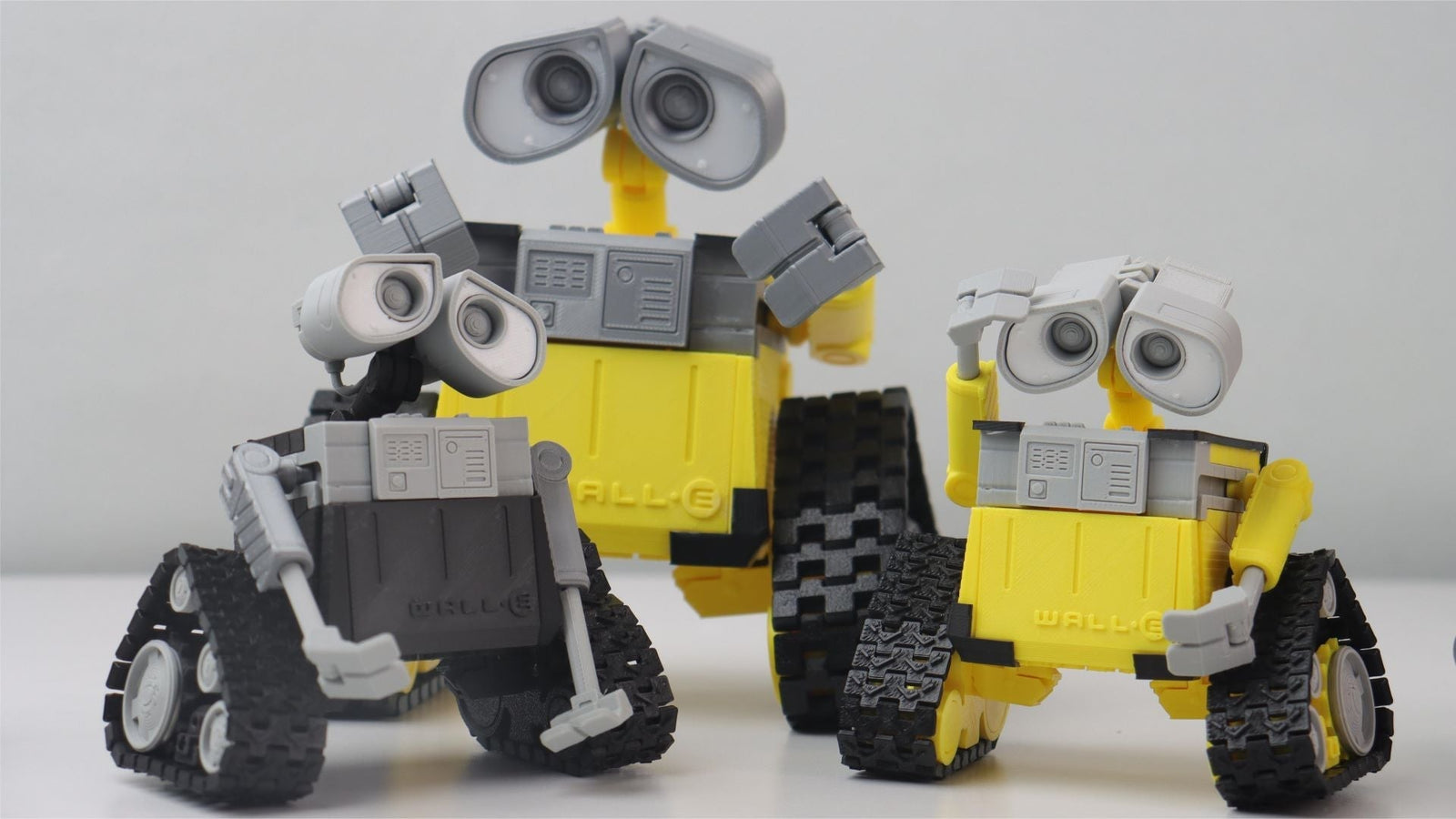
A 3D printer is worth it if you will print at least two or three useful parts a month. At QIDI's current pricing, $349 for a Q2C up to $1,049 for a Max4, a machine that offsets about $30 of bought parts a month pays back a Q2C in roughly 12 months and a Max4 in about three years. Below that print rate, it is a hobby, not an investment.
That is the short version. The longer version depends on what you print, how often the machine actually runs, and which tier you buy into. This guide breaks down the real costs, the honest drawbacks, and which of the four printers QIDI currently sells matches which use case. Prices and specifications quoted here are QIDI's own; third-party figures are labelled as estimates.
The Numbers First: What Ownership Actually Costs
Most "is it worth it" articles skip straight to the fun parts. Start with the spreadsheet instead. There are four cost lines, and only the first one is the sticker price.
| Cost line | Typical range | Notes |
|---|---|---|
| Printer | $349 – $1,049 | QIDI's current lineup, entry to large format |
| Starter accessories | ~$100 | Spare nozzles, build plate, tools, storage |
| Filament | $20 – $50 per 1 kg spool | PLA and PETG at the low end; carbon-filled and engineering grades cost more |
| Maintenance | ~$50 per year | Nozzles, belts, build surfaces; scales with hours run |
| Electricity | Cents per print hour | Multiply the machine's nameplate watts by your local rate from the U.S. EIA electricity price tables |
A realistic first-year figure for a mid-tier setup is the printer price plus roughly $250 in consumables and accessories. If you want that broken down further, our 3D printer cost guide and the deeper maintenance cost breakdown carry the full arithmetic.
What a 3D Printer Is, in One Sentence
A desktop 3D printer is a machine that builds a physical object by depositing material one thin layer at a time from a digital model. The dominant desktop process is fused filament fabrication (FDM), which melts a plastic filament and extrudes it through a nozzle. An enclosure is a sealed cabinet around the build area; a heated chamber is an enclosure that actively holds an elevated air temperature, typically 60–65 °C, which is what keeps ABS, ASA and nylon from warping on large parts. Those two terms are frequently used interchangeably in marketing copy. They are not the same thing, and the difference shows up on any part taller than about 100 mm.
Advantages of Owning a 3D Printer
Owning a 3D printer can change the way you create, design, and produce objects. From hobbyists to small business owners, 3D printers offer a range of benefits that reward regular use.
1. Create Complex, Custom Designs
3D printers allow you to make unique and intricate objects. These machines can produce shapes that are difficult or impossible to make with traditional methods. You can create anything from detailed jewelry to custom-fit brackets, turning your ideas into real objects with good accuracy.

2. Speed Up Product Development
3D printing makes creating prototypes much faster. Designers and engineers can quickly turn their ideas into physical models. That speed allows for rapid testing and improvement of designs, so new products can be developed more quickly and at lower cost than tooling-first workflows.
3. Save Money on Small Production Runs
For making small numbers of items, 3D printing can be cheaper than traditional manufacturing. You don't need expensive molds or special tools. This makes it affordable to produce small batches, which is especially useful for startups, artists, and businesses serving niche markets.
4. Less Waste, More Efficiency
Unlike traditional methods that cut away material, 3D printing adds material layer by layer. It uses close to only what is needed for the object plus supports and a brim, which generally means less scrap than subtractive machining for the same part.
5. Make Production More Accessible
3D printing has made manufacturing available to more people. Individuals and small businesses can now produce high-quality prototypes and products without needing large factories. This technology allows inventors, designers, and entrepreneurs to bring their ideas to life more easily than ever before.
Challenges of Owning a 3D Printer
While 3D printers offer real possibilities, they come with drawbacks worth weighing before you buy.
1. Material Limitations
3D printed objects are often less durable than injection-molded equivalents, because layer adhesion is weaker than the bulk material. Standard PLA parts in particular soften well below the temperature a car interior reaches in summer.
2. Not Ideal for Mass Production
For large quantities, 3D printing is slower and less efficient per unit than injection molding. It is best suited for small batches, customized items, or parts that would otherwise require expensive tooling.
3. Size and Detail Constraints
Home 3D printers have limits on object size and on the finest features they can resolve. Your creations are restricted by the printer's build area and its nozzle diameter, which is typically 0.4 mm.
4. Post-Processing Requirements
Many 3D printed objects need finishing work, such as removing support structures or sanding rough edges. The community-maintained RepRap print troubleshooting guide is a good visual reference for what a bad result looks like and why. This extra step can be time-consuming.
5. Learning Curve and Ongoing Costs
Using a 3D printer effectively requires learning about materials, settings, and design software. Machines running Klipper firmware, which QIDI's current lineup does, shorten that curve considerably through input shaping and automated calibration, but they do not eliminate it.
Everyday Uses for Your 3D Printer
A printer only pays back if it runs. Here is what actually keeps a home machine busy.
1. Replacement Parts and Repairs
The highest-value prints are the boring ones: a snapped dishwasher rack clip, a discontinued appliance knob, a bracket for a shelf that no store sells. These are the parts that cost $5–$15 to buy, if you can buy them at all, and cents to print.
2. Custom Storage and Organization
Tackle clutter with custom-designed organizers. Create a perfectly-sized utensil tray for your kitchen drawers, or design a modular desk organizer that fits your specific needs. With 3D printing, you can solve storage problems in ways that off-the-shelf products cannot match.
3. Design Your Own Statement Jewelry and Decor
Transform your accessory collection with custom-made pieces, or print a modern abstract vase, quirky bookends, and personalized photo frames that match your home's style. This is where 3D printing competes on originality rather than on price.
4. Custom Collectibles and Figures
Print detailed figurines, tabletop miniatures, and display models. These unique pieces make good gifts and are one of the most common reasons hobbyists buy a second machine.
5. Make Learning Tangible
Enhance the learning experience with hands-on educational aids. Print a scaled model of the solar system for astronomy lessons, or create tactile alphabet blocks for young learners. These custom educational tools can make complex concepts easier to grasp and remember.

Is a 3D Printer a Smart Investment for You?
For many users, yes. Here is the case, with the arithmetic shown.
Initial Costs: $450 to $1,150 to Get Started
A capable home 3D printer now costs between $349 and $1,049, plus roughly $100 for accessories. Ongoing costs are modest: $20–$50 for a spool of filament that produces many objects, around $50 a year in maintenance parts, and electricity measured in cents per print hour.
Cost Savings: Up to $400 Annually on Household Items
Printing a custom phone case costs about $2 in filament compared to $20–$40 to buy. A decorative vase costs a few dollars to print versus $15–$30 to purchase. Small parts like drawer knobs cost cents instead of $5–$10. Print 20 items a year that you would otherwise have paid $20 each for, and the offset is roughly $400.
Earning Potential: $1,200+ Yearly from Selling Prints
Custom figurines that cost a few dollars in filament sell for $15–$20; personalized jewelry that costs about $1 to make sells for $10–$15. Selling ten items a month at $10 net profit each works out to $1,200 a year. Our guide on earning money in 3D printing covers what that actually takes.
Break-Even: 12 Months to 3 Years
Take the $30-a-month net offset used at the top of this article. A $349 Q2C clears its purchase price in about 12 months. A $499 Q2 takes about 17 months. A $699 Plus 4 takes about 23 months. A $1,049 Max4 takes about 35 months. Print more than $30 a month of useful parts and every one of those numbers shrinks proportionally. Print less, and the machine is a hobby you enjoy, which is a legitimate reason to buy one but a different decision.
Which Printer Fits Which Budget
QIDI currently sells four printers. They share a 370 °C hotend, a direct-drive extruder, a 120 °C bed and Klipper firmware, so the differences come down to build size, speed, and whether the chamber is actively heated.
| Model | Price (Combo) | Build volume | Max speed | Heated chamber | Best for |
|---|---|---|---|---|---|
| Q2C | $349 ($529) | 270 × 270 × 256 mm | 600 mm/s | No — enclosed but not heated | First printer, PLA and PETG, tight budgets |
| Q2 | $499 ($649) | 270 × 270 × 256 mm | 600 mm/s | Yes — 65 °C | Same footprint, plus ABS, ASA and nylon |
| Plus 4 | $699 ($849) | 305 × 305 × 280 mm | 600 mm/s | Yes — 65 °C | Bigger functional parts, small-batch work |
| Max4 | $1,049 ($1,199) | 390 × 390 × 340 mm | 800 mm/s, 30,000 mm/s² | Yes — 65 °C | Large single-piece prints, production use |
Entry Point: Q2C at $349
The Q2C is the cheapest way into the lineup. It runs at up to 600 mm/s with 20,000 mm/s² acceleration, carries the same 370 °C hotend and direct-drive extruder as the rest of the range, and gives you a 270 × 270 × 256 mm build area. The trade-off is explicit: its enclosure is flame-retardant but not heated. That is fine for PLA, PETG and TPU, which is what most first-year printing is. If ABS or nylon is on your list, spend the extra $150.
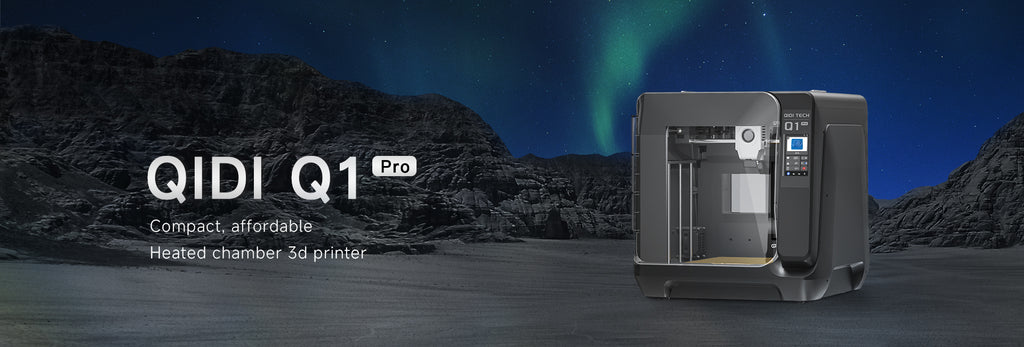
The Sweet Spot: Q2 at $499
The Q2 is the same machine with a 65 °C actively heated chamber. That single feature is what separates "prints PLA well" from "prints engineering plastics reliably," because it slows the cooling gradient that causes ABS and nylon to crack between layers. If you are new to FDM printing but expect your projects to get more demanding, this is the model that will not need replacing in eighteen months.
Scaling Up: Plus 4 and Max4
The Plus 4 adds a 305 × 305 × 280 mm build area, about 40% more volume than the Q2, for $699. The Max4 goes to 390 × 390 × 340 mm, roughly 2.8 times the Q2's volume, and raises the speed ceiling to 800 mm/s at 30,000 mm/s² for $1,049. Buy on volume first: a large print that does not fit is a failed print regardless of how fast the machine moves. Our printer size comparison works through that decision in detail, and the full QIDI lineup comparison puts every specification side by side.

Essential Factors to Consider When Choosing Your 3D Printer
Before you buy, work through these in order. The first three decide the purchase; the rest decide how much you enjoy it.
- Print size: Measure the largest part you realistically expect to print, then add 20%. Build volume is the one specification you cannot upgrade later.
- Materials: PLA and PETG need no chamber heating. ABS, ASA, nylon and polycarbonate benefit substantially from it. Decide this before you decide on price.
- Print quality: Higher resolution means finer detail but slower prints. A 0.4 mm nozzle at 0.2 mm layers is the sensible default for almost everything.
- Ease of use: Automatic bed leveling, filament runout detection and a tested slicer profile save more hours in the first month than any speed specification.
- Software: The slicer you use matters as much as the hardware. Look for machines with maintained profiles and an active user base.
- Cost: Weigh the sticker price against what a cheap 3D printer really costs in failed prints and replacement parts. The cheapest machine is rarely the cheapest year.
- Support: Spare part availability and an active community matter more than any single feature the day something breaks.
Whatever you choose, budget for filament as a running cost rather than a one-off. The filament range is where the ongoing spend actually goes, and matching material to application is what makes prints last.

Frequently Asked Questions
Is a 3D printer worth it for a beginner?
Yes, if you have a specific first project in mind. Beginners who buy a printer "to see what it can do" tend to stop after a month. Beginners who buy one to solve a concrete problem, a bracket, a case, a set of organizers, keep printing. A $349 Q2C is a low enough entry cost that even a modest print rate justifies it.
How much does it cost to run a 3D printer per month?
For a typical home user printing 20–30 hours a month, budget $10–$25 in filament, a few dollars in electricity, and about $4 a month averaged for maintenance parts. Heavy users printing daily should roughly triple the filament figure.
Do I need a heated chamber?
Only if you print ABS, ASA, nylon, polycarbonate, or carbon-fiber-filled versions of those. For PLA, PETG and TPU an unheated enclosure is sufficient, which is exactly the case the Q2C is built for. A 65 °C chamber, as on the Q2, Plus 4 and Max4, reduces warping and layer separation on tall engineering-plastic parts.
How long does a 3D printer last?
The frame and motion system typically outlast the electronics by years. Consumables, nozzles, build plates, belts and PTFE tubing, are designed to be replaced. Treat the printer as a tool with service parts rather than an appliance, and a well-maintained machine stays useful well past the point where a newer model exists.
Can a 3D printer pay for itself?
Yes, on two paths. Replacing bought parts at roughly $30 a month clears a Q2C in about 13 months. Selling prints at $10 net profit per item, ten items a month, clears any machine in the lineup inside a year. Both assume the printer actually runs; an idle printer never pays back.
Which QIDI printer should I buy first?
Q2C if your budget is tight and your materials are PLA and PETG. Q2 if you want the same size machine with engineering-plastic capability. Plus 4 if your parts are larger than about 250 mm. Max4 if you print large single pieces or run the machine as a small production tool.
Make Your Ideas Real with 3D Printing
3D printing opens up a genuine range of possibilities, from creative projects to measurable cost savings. QIDI's current lineup covers $349 to $1,049, which means the entry decision is now less about whether you can afford a capable machine and more about whether you will use it. Work out the parts you would print in the first three months, price them at retail, and compare that to the payback table above. If the numbers work, browse the full 3D printer range and pick the size you will still want in two years.
Read More
- The Numbers First: What Ownership Actually Costs
- What a 3D Printer Is, in One Sentence
- Advantages of Owning a 3D Printer
- 1. Create Complex, Custom Designs
- 2. Speed Up Product Development
- 3. Save Money on Small Production Runs
- 4. Less Waste, More Efficiency
- 5. Make Production More Accessible
- Challenges of Owning a 3D Printer
- 1. Material Limitations
- 2. Not Ideal for Mass Production
- 3. Size and Detail Constraints
- 4. Post-Processing Requirements
- 5. Learning Curve and Ongoing Costs
- Everyday Uses for Your 3D Printer
- 1. Replacement Parts and Repairs
- 2. Custom Storage and Organization
- 3. Design Your Own Statement Jewelry and Decor
- 4. Custom Collectibles and Figures
- 5. Make Learning Tangible
- Is a 3D Printer a Smart Investment for You?
- Initial Costs: $450 to $1,150 to Get Started
- Cost Savings: Up to $400 Annually on Household Items
- Earning Potential: $1,200+ Yearly from Selling Prints
- Break-Even: 12 Months to 3 Years
- Which Printer Fits Which Budget
- Entry Point: Q2C at $349
- The Sweet Spot: Q2 at $499
- Scaling Up: Plus 4 and Max4
- Essential Factors to Consider When Choosing Your 3D Printer
- Frequently Asked Questions
- Is a 3D printer worth it for a beginner?
- How much does it cost to run a 3D printer per month?
- Do I need a heated chamber?
- How long does a 3D printer last?
- Can a 3D printer pay for itself?
- Which QIDI printer should I buy first?
- Make Your Ideas Real with 3D Printing
- Read More
Recommended products






