Q2
Q2




Can You 3D Print Reliable Under-Desk Laptop Holders Safely?


Can You 3D Print Reliable Under-Desk Laptop Holders Safely?
The appeal of a 3D-printed under-desk laptop holder is undeniable: it clears desk real estate, improves cable management, and creates a clean, professional aesthetic. However, for prosumers and small business owners, the stakes are higher than a simple hobbyist project. You are not just printing a plastic bracket; you are trusting a 3D-printed cantilevered structure to hold a high-value workstation—often costing thousands of dollars—indefinitely.
In a professional workflow, a failure isn't just a "failed print"; it is equipment damage and operational downtime. The question isn't whether you can print a holder, but whether you can print one that is functionally reliable and safe over years of use. To achieve this, we must move beyond basic PLA and look toward engineering-grade materials and structural heuristics used in high-performance industries.
The Invisible Threat: Why "Strong" Prints Often Fail
The most common mistake in functional 3D printing is selecting a material based solely on its "tensile strength" (how much force it takes to snap the part). While tensile strength is important, under-desk holders face a different enemy: Creep.
Understanding Creep and Heat Deflection
Creep is the tendency of a solid material to move slowly or deform permanently under the influence of persistent mechanical stresses. In an under-desk setup, the weight of the laptop is a constant load. Over weeks or months, a bracket printed in a material with low creep resistance—like standard PLA or PETG—will slowly "sag" even if it never actually breaks.
Furthermore, environmental heat accelerates this process. Modern high-performance laptops often exhaust air at temperatures between 50°C and 60°C. If your bracket is positioned near these exhaust vents, the material's Heat Deflection Temperature (HDT) becomes critical.
Our analysis of structural reliability assumes a 2.0kg laptop load under a 30-day continuous stress period. We have modeled the following parameters to define the "Safe Zone" for functional brackets:
Parameter Value or Range Unit Rationale Payload Mass 1.5 - 3.0 kg Range of modern professional laptops Ambient Temperature 25 - 60 °C Incorporates room temp and laptop exhaust Design Life > 8,760 hours Minimum 1-year continuous service life Safety Factor 3.0x ratio Standard for non-critical structural components HDT Requirement > 85 °C Must exceed exhaust temp by at least 25°C
Material Selection: Engineering for Longevity
For a reliable under-desk holder, you need a material that combines high rigidity with excellent thermal stability. In our experience supporting professional users, three primary candidates emerge.
1. ABS-GF25 (Glass Fiber Reinforced ABS)
Standard ABS is a staple for functional parts, but it is prone to warping and has moderate creep. However, ABS-GF25 Filament changes the equation. By reinforcing the ABS matrix with 25% glass fiber, the material becomes significantly stiffer.
The Benefit: Professional makers have discovered through trial and error that ABS-GF25 shows approximately 60% less long-term deflection than standard ABS when supporting 2kg loads over 30 days. This makes it an ideal choice for brackets that must remain perfectly level.
2. PET-CF (Carbon Fiber Reinforced PET)
If you require the highest level of dimensional stability and chemical resistance, PET-CF Filament is the premier choice. Unlike standard PETG, which can be somewhat "flexible," PET-CF uses Smart Fiber Reinforcement Technology to create a rigid internal mesh.
The Benefit: PET-CF Filament has a Vicat softening temperature of 148.8°C and an HDT of 86.7°C. This provides a massive safety buffer against laptop exhaust heat. Its low moisture absorption (0.5%) ensures that the part won't degrade or lose strength in humid office environments.
3. ASA (Acrylonitrile Styrene Acrylate)
ASA is often cited as the "professional's ABS." It offers similar mechanical properties but with superior UV resistance and a slightly higher HDT.

Pro-Level Design Heuristics for Cantilevered Loads
Even the best material will fail if the design is flawed. When creating a cantilevered bracket (where the weight is supported on one side), follow these professional "rules of thumb" to ensure safety.
The 4x Height Rule
To prevent excessive leverage and torque on your mounting screws, the unsupported horizontal span of your bracket should not exceed 4 times the vertical height of the mounting plate.
- Example: If your mounting plate is 50mm tall, your horizontal shelf should ideally not exceed 200mm in length. Beyond this ratio, even carbon-fiber materials may exhibit problematic deflection at the tip.
The Power of Gussets
Never use a simple 90-degree L-shape. Experienced designers always add triangular gussets (ribs) at the joint where the horizontal shelf meets the vertical mounting plate.
- The Impact: This simple addition can increase the failure load by 3x to 4x by distributing the stress across a larger area of the bracket.
Heat-Set Inserts vs. Self-Tapping Screws
The interface between the printed part and the desk hardware is consistently the weakest link in the chain.
- The Solution: Use heat-set brass inserts. By melting the insert into the plastic, you distribute the load across multiple layers of the print. This reduces stress concentration and prevents the screws from "stripping" the plastic over time due to vibration or weight.
Hardware Requirements for Professional Results
Printing engineering materials like ABS-GF25 or PET-CF requires more than an entry-level hobbyist machine. To achieve the interlayer adhesion necessary for structural safety, you must control the thermal environment of the print.
Active Chamber Heating
Materials like ABS and ASA are prone to "delamination" (layers splitting) if they cool too quickly or unevenly. A heated chamber is not just a luxury; it is a requirement for structural integrity.
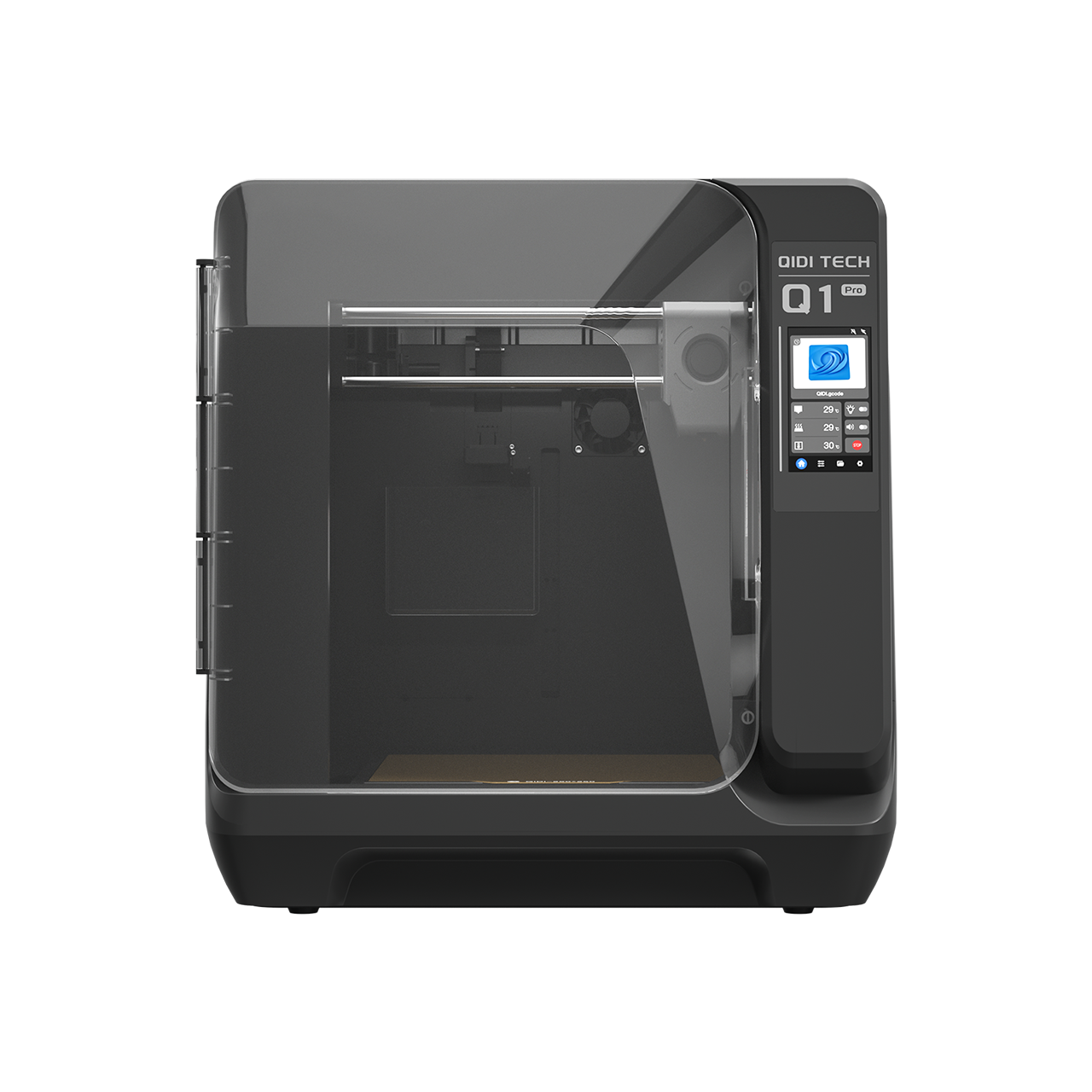
- The Qidi Tech Q2 3D Printer features an active chamber heater that reaches 65°C, ensuring that the entire part cools at a controlled rate, which maximizes the bond between layers.
- For larger or more complex brackets, the QIDI MAX4 3D Printer features a third-generation active chamber system that delivers more uniform heat distribution at 65°C. This enhanced thermal consistency is essential for releasing internal stresses in glass-fiber and carbon-fiber composites, resulting in a part that is less likely to warp or crack under load.
Annealing for Maximum Strength
For parts printed in PET-CF Filament, you can further enhance the mechanical properties through annealing. By placing the printed part in a controlled oven at 80-100°C for 4-8 hours, you allow the polymer chains to reorganize, significantly increasing the part's rigidity and heat resistance.
The Broader Context: 3D Printing as Industrial Manufacturing
The shift from printing "toys" to printing "tools" is part of a larger global trend. Additive manufacturing is now being used for high-performance electric vehicle components to reduce weight and shorten R&D cycles, as noted in a 2022 case study on EV design.
When you print a laptop holder using professional-grade filaments and hardware, you are utilizing the same principles of reliability and material science used in these frontier applications.

Final Safety Checklist
Before you hang your laptop under your desk, perform this final validation:
- HDT Check: Does your material have an HDT at least 30°C above the maximum expected ambient temperature (approx. 90°C for safety)?
- Orientation: Did you print the bracket on its side? Printing "flat" ensures the layers run the length of the bracket, meaning the load isn't trying to pull the layers apart (Z-axis tension).
- Infill Density: For structural parts, use at least 40% infill with a "Gyroid" or "Cubic" pattern for multi-directional strength.
- Wall Count: Increase your wall count (perimeters) to at least 4 or 6. Most of a part's strength comes from its outer shells, not the infill.
- Stress Test: Once installed, apply double the weight of the laptop (approx. 4-5kg) for 10 minutes. If you see any visible deflection or hear cracking, the design or material is insufficient.
By focusing on creep resistance, utilizing active chamber heating, and following proven design heuristics, you can transform 3D printing from a hobbyist experiment into a reliable professional solution for your workspace.
Disclaimer: This article is for informational purposes only. 3D printing functional parts involves risks related to material failure and equipment damage. Always perform independent load testing and consult manufacturer specifications before using 3D-printed parts for load-bearing applications involving expensive electronics.
References
- Can You 3D Print Reliable Under-Desk Laptop Holders Safely?
- The Invisible Threat: Why "Strong" Prints Often Fail
- Understanding Creep and Heat Deflection
- Material Selection: Engineering for Longevity
- 1. ABS-GF25 (Glass Fiber Reinforced ABS)
- 2. PET-CF (Carbon Fiber Reinforced PET)
- 3. ASA (Acrylonitrile Styrene Acrylate)
- Pro-Level Design Heuristics for Cantilevered Loads
- The 4x Height Rule
- The Power of Gussets
- Heat-Set Inserts vs. Self-Tapping Screws
- Hardware Requirements for Professional Results
- Active Chamber Heating
- Annealing for Maximum Strength
- The Broader Context: 3D Printing as Industrial Manufacturing
- Final Safety Checklist
- References
Productos recomendados