Q2
Q2
 QIDI Box
 Plus 4
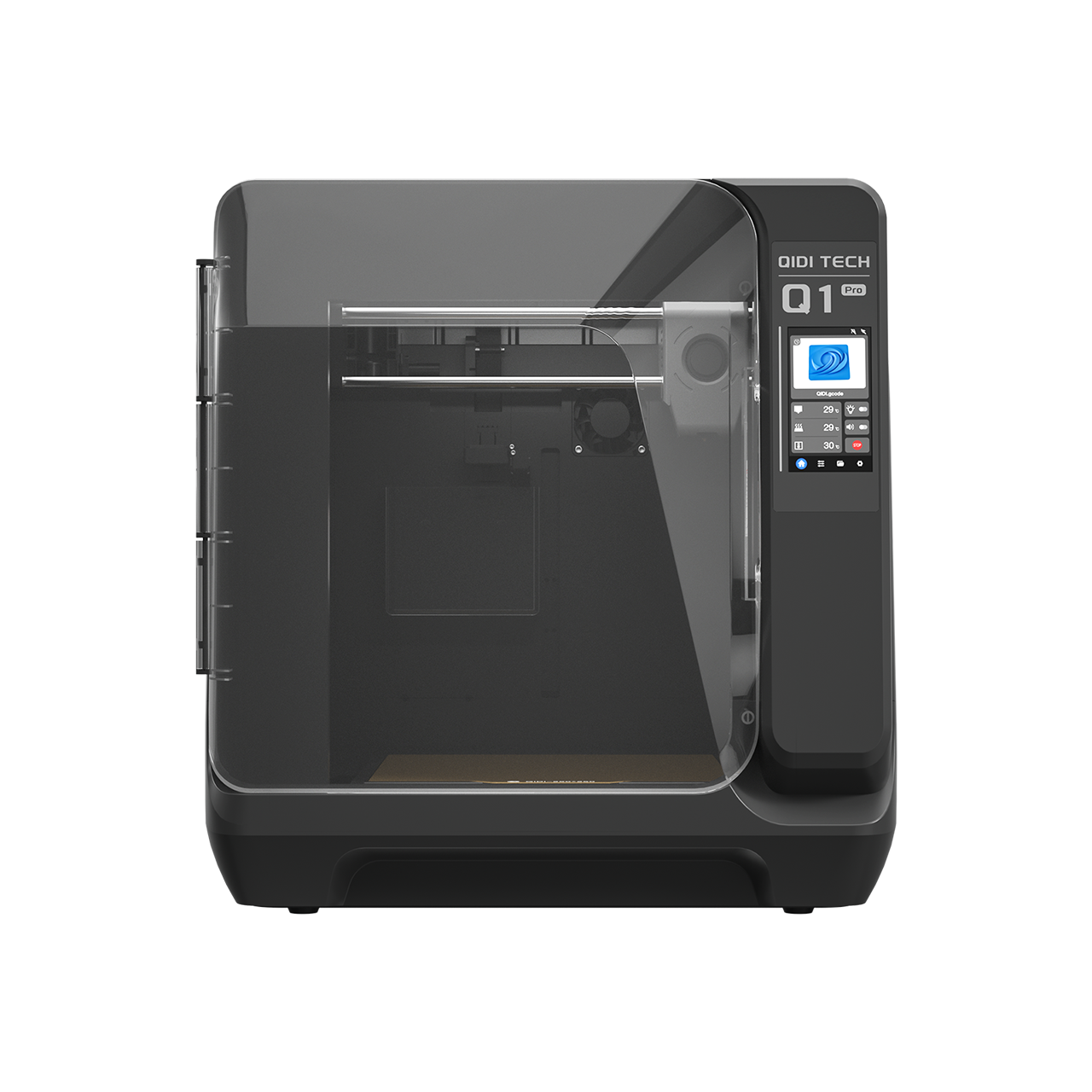 Q1 Pro
 X-Max 3


Nylon 3D Printing Guide: Types, Settings, Drying, and Troubleshooting


Nylon 3D printing filament prints at 240–300 °C on a 40–100 °C bed, needs drying at 80–100 °C for 4–6 hours before every print, and works best inside an enclosure with cooling turned down. It is the material to choose when a part must flex, slide or take repeated impact — gears, hinges, clips, bushings and fixtures — rather than simply hold a shape.
What Is Nylon Filament?
Nylon is the common name for polyamides, a family of polymers whose repeating units are joined by amide bonds, usually shortened to PA in 3D printing. On a spool it appears as PA6, PA11, PA12, PA-CF, PA-GF, PPA or a modified blend, and the letters matter more than the word "nylon" does.
The behaviour of a nylon filament depends on the specific formulation. PA6 is known for strength and toughness but absorbs moisture aggressively. PA12 takes up less water and offers better dimensional stability. Reinforced grades add carbon or glass fiber to raise stiffness and cut warping at the cost of nozzle wear.
One number explains a great deal about nylon's reputation. Independent testing of FFF-printed Nylon 12 measured a glass transition temperature of just 34.03 °C alongside a 37 ± 0.2 MPa tensile strength — the polymer is already past its glass transition at a warm room temperature. That is why unreinforced nylon feels tough and slightly compliant rather than rigid, and why its usable heat resistance depends so heavily on reinforcement and annealing.
Because of these differences, there is no single "best nylon filament." The right choice depends on the part, the printer, and the working environment.

Is Nylon Good for 3D Printing?
Nylon is an excellent choice for functional mechanical parts and a poor choice for decorative prints, open-frame printers, and anyone without a way to dry filament. Its real value is not raw strength but the combination of toughness, wear resistance and a degree of flexibility that lets a part bend instead of snapping.
| Nylon is a good fit for | Nylon is a poor fit for |
|---|---|
| Functional prototypes | Simple decorative prints |
| Gears and bushings | Very low-cost beginner projects |
| Hinges and clips | Open-frame printers without temperature control |
| Jigs and fixtures | Workflows with no filament dryer |
| Tool handles and wear parts | Parts needing a perfectly glossy finish |
| Robotics and lightweight mechanical components | Parts that must stay rigid under sustained heat, unless reinforced |
A nylon part will often survive bending, friction and repeated mechanical stress that would crack a PLA part outright — which is exactly the failure mode examined in why some filaments fail in vibrating mounts. The same toughness makes it the default for snap-fit clips.
What Are the Common Types of Nylon Filament?
The main nylon grades are PA6, PA11, PA12, fiber-reinforced PA-CF and PA-GF, and high-temperature PPA blends, each trading printability against performance. Understand the grade before you buy the spool.
| Nylon type | Best for | Main advantage | Main challenge |
|---|---|---|---|
| PA6 | Strong functional parts | Tough, strong, widely used | Absorbs moisture easily |
| PA12 | Dimensional stability and easier nylon printing | Lower moisture uptake than PA6 | Usually more expensive |
| PA11 | Impact-resistant parts | Flexible and tough | Less common |
| PA-CF | Stiff engineering parts | Better stiffness and lower warping | Abrasive to nozzles |
| PA-GF | Durable functional parts | Good dimensional stability | Abrasive and rougher surface |
| PPA / high-temperature PA | Heat-resistant parts | Far better thermal performance | Requires a 350 °C-capable printer |
For general use, PA12 or a modified low-warp nylon is easier to print than pure PA6. For engineering parts, carbon or glass fiber reinforcement helps — but the fibers destroy a standard brass nozzle quickly, so a hardened steel nozzle is the practical minimum. The abrasion question is covered across the composite range in the carbon fiber filament guide.
How Do QIDI's Nylon Filaments Compare?
Across QIDI's nylon range, tensile strength runs from 69.29 MPa for unreinforced UltraPA to 118.19 MPa for UltraPA-CF25, and heat deflection temperature from 72.5 °C to 196.9 °C. The table uses published technical data so the grades can be compared on the same basis.
| Filament | Tensile strength | Bending modulus | HDT | Water absorption | Nozzle temp | Drying |
|---|---|---|---|---|---|---|
| UltraPA (unfilled) | 69.29 ± 1.17 MPa | 3202.24 ± 115.78 MPa | 72.5 °C | 2.10% | 260–280 °C | 80–100 °C / 4–6 h |
| PA12-CF | 76.95 ± 1.17 MPa | 3915.93 ± 195.30 MPa | 78.4 °C | 2.46% | 280–300 °C | 80–100 °C / 4–6 h |
| PAHT-CF (PPA-CF 15%) | 93.15 ± 1.64 MPa | 6727.22 ± 382.20 MPa | 84.8 °C / 190.7 °C annealed | 1.37% | 300–320 °C | 80–100 °C / 4–6 h |
| UltraPA-CF25 (PPA-CF 25%) | 118.19 ± 3.82 MPa | 7466 MPa (annealed) | 196.9 °C | 1.09% | 300–340 °C | 80–100 °C / 4–6 h |
The PAHT-CF row contains the most instructive number in the table. Its heat deflection temperature is 84.8 °C as printed and 190.7 °C after annealing — a 106 °C gain from a post-processing step, not from a different material. Nylon is semi-crystalline, and annealing lets the crystalline fraction develop properly. If your nylon parts need heat resistance, annealing is not an optional refinement.
Notice too that fiber content buys stiffness rather than toughness: unfilled UltraPA has a 9.77% elongation at break while UltraPA-CF25 has 1.62%. If the part must deform without cracking, the unfilled grade is the right answer even though its headline numbers are lower.
What Are the Challenges of Printing Nylon?
The three challenges of nylon are moisture absorption, warping, and a temperature requirement that many printers cannot meet. Moisture is by far the largest of the three.
Moisture. Nylon absorbs water from the air continuously, and wet filament produces popping sounds, bubbles, rough surfaces, stringing, weak layers and inconsistent extrusion. Published testing of moisture sorption in 3D printing filaments measured nylon's equilibrium water uptake at 8.127%, roughly twice the next-highest material tested, with an 83% reduction in elastic modulus and a 42% reduction in strength after humid conditioning. Those specimens were held at up to 97% relative humidity, so it is a worst case rather than a typical workshop — but it puts a number on why drying nylon is non-negotiable. QIDI's own data sheets are consistent with this: UltraPA is rated at 2.10% water absorption and PA12-CF at 2.46%, against 0.05% for PPS-CF.
Warping. Nylon shrinks as it cools, so large parts and sharp corners lift from the plate. A heated bed, an enclosure, a brim and an appropriate adhesive all help. Chamber temperature is the strongest lever — how chamber heating prevents nylon cracking covers why.
Temperature. Most nylon filaments print in the 240–300 °C range, and PPA-based engineering blends need 300–340 °C. Always check the manufacturer's recommended range before printing, and confirm your hotend is rated for it.
Can Your 3D Printer Print Nylon?
A printer can handle nylon if it has a hotend rated for the filament's temperature, a heated bed, a stable extrusion system, and a way to keep the filament dry. Everything beyond that is about part size and consistency.
| Requirement | Minimum | Recommended |
|---|---|---|
| Hotend | Rated to the filament's printing temperature | All-metal, 370 °C for PPA grades |
| Bed | Heated, 40–100 °C | Stable across the full plate, with nylon-compatible adhesive |
| Chamber | None for small low-warp parts | Enclosed, actively heated for PA6 and large parts |
| Filament handling | Sealed bag with desiccant | Active dryer or managed feed system |
| Nozzle | Brass for unfilled nylon | Hardened steel or bimetal for PA-CF and PA-GF |
| Ventilation | Well-ventilated room | Filtered or ducted enclosure |
An open-frame printer can manage small parts in low-warp blends, but larger parts will warp without an enclosure. Machines built for engineering materials — the QIDI Plus 4 with its 65 °C actively heated chamber and 370 °C hotend, for instance — cover the full nylon range without modification.
How Should You Dry and Store Nylon Filament?
Dry nylon at 80–100 °C for 4–6 hours before printing, then store it below 15% relative humidity in a sealed container with desiccant. Drying is the single highest-value habit in nylon printing, and even a premium spool prints badly once it has taken on water.
Common signs of wet nylon:
- Popping or crackling from the nozzle
- Visible steam or tiny bubbles during extrusion
- Excessive stringing
- Rough or fuzzy surface texture
- Weak layer bonding
- Inconsistent extrusion width
| Situation | Action | Target |
|---|---|---|
| Before every print | Dry at 80–100 °C | 4–6 hours in a blast dryer or oven |
| During the print | Feed from an active dryer or dry box | Continuous, especially on long prints |
| Between prints | Sealed container with fresh desiccant | Below 15% RH |
| Spool that has been open for weeks | Extend the drying cycle | Up to 8 hours, then re-test with a small print |
| Humid climate | Never leave the spool on the printer overnight | Return it to sealed storage after every job |
Feeding from a filament dry box or a managed system such as the QIDI Box is what keeps a twelve-hour print as dry at the end as it was at the start. The general method is covered in mastering filament drying techniques and how to store filament properly.

What Are the Recommended Nylon Print Settings?
Start nylon at a 240–300 °C nozzle, a 40–100 °C bed, 30–60 mm/s, cooling off or low, with an enclosure and a dry box. There is no universal nylon profile, because PA6, PA12, PA-CF, PA-GF and PPA blends behave differently — treat the table as a starting point.
| Setting | General starting point | Notes |
|---|---|---|
| Nozzle temperature | 240–300 °C | PPA grades need 300–340 °C |
| Bed temperature | 40–100 °C | QIDI's nylon grades list 70–90 °C with adhesive |
| Print speed | 30–60 mm/s | Slower speeds improve layer bonding |
| Cooling fan | Off or low | Too much cooling causes warping and weak layers |
| Chamber | Enclosed, actively heated if available | Especially for PA6 and large parts |
| Layer height | 0.15–0.25 mm | Thicker layers can improve strength; thinner improve detail |
| Brim or raft | Often useful | Helps prevent corners lifting |
| Nozzle | 0.4 mm brass, or 0.6 mm hardened for filled grades | Larger bore reduces clogging with fiber fill |
| Dry box | Strongly recommended | Keeps filament dry throughout the print |
For reinforced nylon, use hardened steel, ruby or another wear-resistant nozzle, and check it periodically — worn nozzles cause under-extrusion that looks like a slicer problem. The nozzle maintenance guide covers the inspection routine.
How Do You Improve Bed Adhesion With Nylon?
Nylon adhesion comes from a clean surface, a nylon-compatible adhesive, a stable bed temperature and a brim — in that order. Poor first-layer bonding is the most common cause of failed nylon prints, and everything downstream depends on it.
- Clean the build surface before printing; nylon is unforgiving of finger oil.
- Use a nylon-compatible adhesive rather than assuming bare PEI will hold.
- Add a brim on anything with a footprint larger than a few centimetres.
- Keep cooling off for the first layers.
- Check the first layer is not printing too high; nylon needs to be squashed in.
- Hold the bed temperature stable rather than letting it drift.
- Use an enclosure to remove draughts.
Design helps too. Large flat parts warp more than small ones, so round the corners or split the model into smaller components where the design allows.
How Do You Prevent Warping and Layer Splitting?
Warping and layer splitting are both cooling problems: warping comes from different regions cooling at different rates, and splitting from layers that never reached fusion temperature. The fixes overlap.
- Dry the filament thoroughly — wet nylon bonds badly between layers
- Raise the nozzle temperature within the recommended range
- Reduce or turn off part cooling
- Use an enclosure and eliminate draughts
- Add a brim or raft
- Slow the print down
- Improve part orientation
- Avoid sharp corners and large flat bases where possible
Orientation deserves particular attention on mechanical parts. A printed part is weaker between layers than within them, so orient it so the main load does not pull directly across the layer boundaries.
How Do You Post-Process Nylon Prints?
Nylon responds well to sanding, drilling, tapping, dyeing, threaded inserts and annealing — but not to the chemical smoothing used on ABS. Acetone does nothing useful to nylon, and D-limonene is associated with dissolving HIPS rather than smoothing polyamides.
Annealing is the post-process worth planning for. QIDI's PAHT-CF is rated at an 84.8 °C heat deflection temperature as printed and 190.7 °C annealed, and UltraPA-CF25's published bending modulus of 7466 MPa is likewise an annealed figure. Where heat resistance or stiffness matters, budget for the oven time. Where dimensional tolerance matters more, be aware that annealing causes slight shrinkage — the UltraPA-CF25 printing guide walks through the procedure for one of these grades in detail.
If you want a smoother nylon surface, tune print settings, reduce layer height, or sand — do not reach for a solvent.
Nylon 3D Printing Troubleshooting
Most nylon print defects trace back to moisture, insufficient heat, or nozzle wear. Check the filament first — it is the cause more often than anything else.
| Problem | Likely cause | What to try |
|---|---|---|
| Stringing | Wet filament, high temperature, poor retraction | Dry filament, tune retraction, lower temperature slightly |
| Popping sounds | Moisture in filament | Dry at 80–100 °C for 4–6 h before printing |
| Rough surface | Wet filament or inconsistent extrusion | Dry filament, check nozzle and extrusion path |
| Warping | Uneven cooling, weak bed adhesion | Use enclosure, brim, adhesive, stable bed temperature |
| Layer splitting | Low nozzle temperature or unstable chamber | Increase temperature, reduce fan, close the enclosure |
| Weak parts | Poor orientation, wet filament, low temperature | Reorient part, dry filament, increase temperature |
| Nozzle wear | Carbon or glass fiber filament | Fit a hardened or wear-resistant nozzle |
| Clogging | Fiber-filled filament, small nozzle, low temperature | Move to 0.6 mm, raise temperature, slow the print |
| Part softens in use | Service temperature above the grade's HDT | Anneal the part, or move to a PPA-CF grade |
FAQs About Printing With Nylon Filament
Does nylon filament need to be dried before printing?
Yes, every time. Nylon is highly hygroscopic — published testing measured equilibrium moisture uptake around 8% and a large loss of stiffness and strength as a result. Dry at 80–100 °C for 4–6 hours, and feed from a dry box during the print.
What temperature do you print nylon at?
Most nylon filaments print at 240–300 °C. QIDI's unfilled UltraPA lists 260–280 °C, PA12-CF 280–300 °C, and the PPA-based PAHT-CF and UltraPA-CF25 grades 300–340 °C. Bed temperatures run 40–100 °C, typically 70–90 °C with adhesive.
Can you print nylon without an enclosure?
Small parts in low-warp blends are possible, but an enclosure is strongly recommended for larger parts, for PA6, and wherever layer strength matters. Without one, nylon's shrinkage during cooling pulls corners off the plate and splits layers on tall parts.
Is nylon stronger than PLA?
Nylon is tougher and far more impact-resistant than PLA, though PLA is stiffer at room temperature. PLA is easy to print but brittle; nylon flexes, absorbs shock and resists repeated mechanical stress, which is what functional parts usually need.
Is nylon better than PETG?
Nylon is better for wear resistance, toughness and moving mechanical parts. PETG is easier to print, absorbs far less moisture and holds tolerance more readily, so it is the better general-purpose choice. Pick nylon when the part slides, flexes or takes impact.
Do you need a hardened nozzle for nylon?
Unfilled nylon prints fine on a standard brass nozzle. Carbon fiber and glass fiber reinforced nylon require a hardened steel or other wear-resistant nozzle, because the fibers erode brass within a few spools and cause progressive under-extrusion.
How heat resistant is nylon?
It depends entirely on the grade and on whether the part has been annealed. QIDI's unfilled UltraPA lists a 72.5 °C heat deflection temperature, PA12-CF 78.4 °C, and PAHT-CF 84.8 °C as printed but 190.7 °C after annealing. If a nylon part needs to hold load in heat, annealing is part of the process, not an optional extra.
Final Thoughts on Mastering Nylon FDM Printing
Nylon is one of the best FDM materials for durable, functional and wear-resistant parts, and it asks for more preparation than PLA or PETG in return. The rules are short: dry the filament at 80–100 °C for 4–6 hours, keep it dry through the print, close the enclosure, turn cooling down, fit a hardened nozzle for filled grades, and anneal when heat resistance matters.
Once drying, adhesion and temperature control are under control, nylon stops feeling difficult and starts being useful — for prototypes, tools, gears and genuine end-use components. When stiffness matters more than toughness, industrial composite material selection covers the filled grades that trade one for the other, and the full range is in QIDI's high-performance filament collection.
- What Is Nylon Filament?
- Is Nylon Good for 3D Printing?
- What Are the Common Types of Nylon Filament?
- How Do QIDI's Nylon Filaments Compare?
- What Are the Challenges of Printing Nylon?
- Can Your 3D Printer Print Nylon?
- How Should You Dry and Store Nylon Filament?
- What Are the Recommended Nylon Print Settings?
- How Do You Improve Bed Adhesion With Nylon?
- How Do You Prevent Warping and Layer Splitting?
- How Do You Post-Process Nylon Prints?
- Nylon 3D Printing Troubleshooting
- FAQs About Printing With Nylon Filament
- Does nylon filament need to be dried before printing?
- What temperature do you print nylon at?
- Can you print nylon without an enclosure?
- Is nylon stronger than PLA?
- Is nylon better than PETG?
- Do you need a hardened nozzle for nylon?
- How heat resistant is nylon?
- Final Thoughts on Mastering Nylon FDM Printing
Recommended products