

 Q2
Q2
 QIDI Box
 Plus 4
 Q1 Pro
 X-Max 3


The Ultimate Guide to 3D Printer Filament Quality Issues

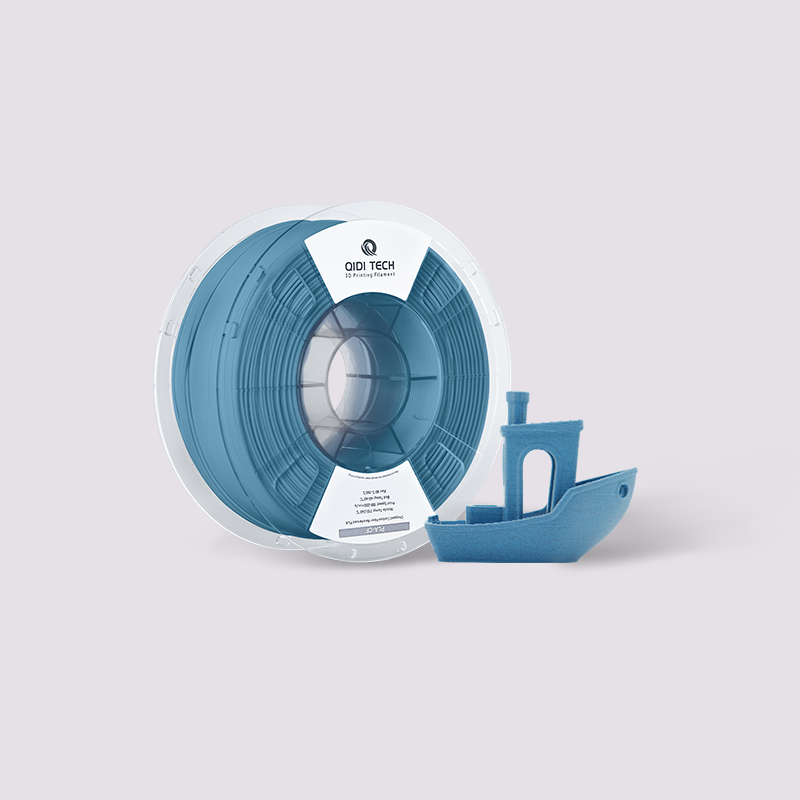
To tell if filament is bad, run four checks: measure the diameter at ten points with digital calipers, rotate the calipers 90 degrees at the same point to check ovality, bend a 5 cm length double to test brittleness, and listen for popping at the nozzle on a purge. A spool that fails any one of those is the cause of your print failure, not the printer.
Many printing problems blamed on hardware are actually caused by the filament. Small variations in the plastic, from its diameter to its moisture content, can create issues like clogs or weak layers that look like machine failures. This makes it a frustrating variable to pin down. Knowing how to identify a sub-par spool is a critical troubleshooting skill. This guide is a straightforward catalog of common filament defects, made to help you quickly spot the signs of bad material and understand the specific printing errors it can cause.

The Seven Filament Defects at a Glance
Every defect in this guide has a specific test, a specific print symptom, and a specific verdict on whether the spool is salvageable. Start here, then read the section that matches what you found.
| Defect | How to detect it | Threshold that fails | Print symptom | Spool verdict |
|---|---|---|---|---|
| Inconsistent diameter | Digital calipers, 10 points over 3 m | Spread wider than ±0.03 mm | Alternating over- and under-extrusion, clogs | Usable at reduced flow, poor for dimensional parts |
| Ovality | Measure, rotate calipers 90°, measure again at the same point | Difference above 0.05 mm | Regular wavy banding on vertical walls | Usable for cosmetic-tolerant parts only |
| Moisture | Listen at the nozzle during a 100 mm purge | Any popping, hissing or steam | Stringing, fuzzy surface, weak layers | Fully recoverable by drying |
| Poor winding / tangles | Visual scan of the outer coil, pull 1 m by hand | Any strand crossing under a neighbour | Sudden total stop, air printing | Recoverable by rewinding |
| Brittleness | Snap test: bend 5 cm double | Snaps before roughly 90° of bend | Mid-print breakage, fragile parts | Dry first; if it still snaps, scrap |
| Impurities | Diagnosis by exclusion against a known-good spool | Repeat clogs that vanish on the control spool | Random hard clogs with no other symptom | Scrap |
| Inconsistent colour or additives | Print a 100 mm single-wall tower | Visible bands or gloss changes | Streaking, patchy under-extrusion | Usable, cosmetically compromised |
Issue 1: Inconsistent Filament Diameter
The filament's thickness is not uniform. Instead of a consistent 1.75 mm or 2.85 mm, the strand has random thick and thin spots. Good quality filament should have a diameter tolerance of ±0.03 mm — that is the figure QIDI prints on its own spool specifications. Poor quality filament can vary by ±0.05 mm or more.
How to Identify It
Use a pair of digital calipers. Measure the filament at several points along a few meters of the spool. If you find measurements that fluctuate beyond the ±0.03 mm range, you have an inconsistent diameter.
Printing Problems It Causes
Your slicer software calculates how much plastic to extrude based on a consistent filament diameter. When the actual diameter varies, it causes specific failures.
- Thick Spots: An overly thick section creates extra friction in the filament path and can get stuck. This leads to under-extrusion (too little plastic being extruded) or can cause a complete nozzle clog.
- Thin Spots: When the filament is too thin, the extruder pushes out less plastic than the printer expects. This results in gaps between layers, weak spots in the part, or even missing layers entirely.
Both thick and thin spots lead to unreliable extrusion that can ruin a print. A quick check with calipers on a new spool is a simple step that can prevent these frustrating failures.
Issue 2: Moisture Contamination (Wet Filament)
Many filaments are hygroscopic, meaning they naturally absorb moisture from the air. When the plastic absorbs too much water, its chemical structure degrades. Peer-reviewed work on moisture sorption and degradation of 3D printing filaments tracks how quickly this happens across common polymers. It is a very common problem for materials like PETG, nylon and TPU, though even PLA can be affected if left in a humid environment.
Signs of Wet Filament
You can often detect a wet filament with your eyes and ears during a print.
- Sound: Listen for distinct popping, hissing, or crackling noises as the filament comes out of the hot nozzle. This is the sound of water turning to steam.
- Sight: Look closely at the nozzle tip for small puffs of steam or smoke.
- Feel: The filament strand itself may feel unusually brittle and snap with little effort when you bend it.
How It Ruins Your Prints
When the hotend heats the filament, the trapped water violently boils into steam, which is destructive to the printing process. This creates a rough, fuzzy, or pockmarked surface finish and causes excessive stringing. More importantly, the steam prevents the molten plastic layers from bonding correctly, which severely weakens the part and makes it easy to break. The residue from the boiled plastic can also contribute to stubborn nozzle clogs.
Moisture is the one defect on this list that is fully reversible. Run the correct drying cycle for the material — the temperatures and times are in the filament drying guide — and the spool prints like new.
Issue 3: Poor Winding (Tangles and Knots)
A filament tangle is a knot on the spool that physically stops the filament from feeding into the printer. This is often a manufacturing defect from the factory, where a strand is incorrectly wound underneath another. However, a user can also create a tangle by letting go of the filament's loose end, which can cause it to spring back and tuck under another coil.
How to Spot a Tangle
Visually inspect the spool. The filament should be wound in neat, parallel lines. If you see strands crossing over each other or diving deep into the spool, a tangle is likely. The definitive sign of a tangle is when the filament physically jams during a print, completely halting its movement.
How It Causes Print Failure
A tangle causes a sudden and complete print failure. The knot tightens until the extruder can no longer pull the filament, abruptly stopping the extrusion. You will often hear the extruder motor making a clicking sound as it tries to pull, or you might see the drive gear grinding a chunk out of the filament. The printer will continue its motions without laying down any plastic, a failure commonly known as air printing. The full prevention and rescue procedure is in the filament tangles guide.
Issue 4: Brittleness (Material Degradation)
This type of brittleness occurs when the plastic itself has degraded, which is different from brittleness caused by moisture. The common causes are old age, long-term exposure to sunlight (UV light), or a poor manufacturing process that used bad raw materials.
How to Test for It
The best way to check is with a simple snap test. Take a short length of filament and sharply bend it back on itself. Good filament, like PLA, should bend well past 90 degrees before it breaks. If the filament is brittle, it will snap instantly with very little flex, much like a dry twig. Run the test on a length taken from the middle of the coil, not the exposed outer turn, which is always the worst section on any spool.
Printing Problems It Causes
Brittle filament creates two main types of failures:
- Filament Breaking Mid-Print: The most frequent problem is the filament strand snapping on its way to the nozzle or inside a feed tube. This will cause the print to fail immediately.
- Extremely Fragile Parts: Even if the filament prints successfully, the final object inherits the brittleness. This results in a weak part that cannot withstand stress and breaks easily.
Dry the spool first, because moisture and true degradation produce the same symptom. If a properly dried spool still snaps at under 90 degrees of bend, the polymer itself is finished and the spool should be retired.
Issue 5: Impurities and Contaminants
The filament contains foreign particles that don't belong, such as dust, dirt, or specks of other plastics. This issue is most common in very cheap or poorly made recycled filaments, where the raw material was not clean.
How to Identify It
Contaminants are typically microscopic and cannot be seen, making this one of the hardest defects to diagnose. The best method is diagnosis by exclusion. If a specific spool of filament causes repeated, unexplainable nozzle clogs, and the problem vanishes when you switch to a different, reliable spool, the original filament is almost certainly contaminated.
Printing Problems It Causes
This defect leads to severe clogging issues with these specific characteristics:
- Frequent, Random Clogs: The primary symptom is a nozzle clog that happens unpredictably, stopping the print. With a contaminated spool, this can happen multiple times.
- Hard Blockages: The clog is caused by a solid particle that cannot melt at the current printing temperature. This creates a physical blockage that stops all filament flow.
- Difficult to Diagnose: Because there are no other visual signs of a problem with the filament, these clogs seem to happen for no reason, making them extremely frustrating to troubleshoot.
This defect is a major cause of hard-to-diagnose clogs and highlights the risk of using low-quality filament. A contaminated spool is often unusable.
Issue 6: Inconsistent Color or Additives
The mixture of the base plastic, colorants, and any special additives (like carbon fiber or wood particles) is not uniform. This poor mixing at the factory means that different parts of the filament spool have a slightly different composition.
How to Identify It
You can usually see the evidence on a finished print. Look for visible streaks, noticeable bands of different colors, or changes in the surface finish, such as a part being shiny in some areas and matte in others. A 100 mm single-wall vase-mode tower is the cheapest way to expose it: it consumes filament continuously along the spool and shows any composition change as a horizontal band.

Printing Problems It Causes
A poorly mixed filament creates both cosmetic and performance issues:
- Visual Defects: The most obvious result is an inconsistent appearance. The printed part may have unsightly color bands or patches with a different texture, ruining the desired look.
- Inconsistent Extrusion: Different additives and even some color pigments can change the required printing temperature. If a section of filament has a higher concentration of an additive, it might need more heat to flow properly, leading to patches of under-extrusion if your temperature is set for the rest of the spool.
This defect is a clear indicator of poor quality control from the manufacturer. It makes achieving a perfect print difficult, as the ideal settings may change as the spool is used up.
Issue 7: Ovality (Non-Circular Filament)
Ovality is the difference between the widest and narrowest diameter measured at the same point along the strand. A perfectly round filament has an ovality of zero. This is a subtle manufacturing defect that occurs during the cooling or extrusion process at the factory, when the strand is pulled through the cooling bath before it has fully set.
How to Identify It
You will need digital calipers or a micrometer to detect ovality. Measure the filament's diameter, then rotate the calipers 90 degrees on the exact same spot and measure it again. A consistent and significant difference between the two numbers indicates the filament is oval.
| Ovality (max − min at one point) | Grade | What you will see in prints |
|---|---|---|
| ≤ 0.02 mm | Low ovality, excellent | Nothing. Flow is effectively constant. |
| 0.02-0.05 mm | Acceptable | Invisible on most parts, may show on gloss finishes |
| 0.05-0.08 mm | Marginal | Faint regular banding on tall flat walls |
| > 0.08 mm | Fail | Clear wavy texture, dimensional error on thin walls |
"Low ovality" is what you want on a spec sheet. It means the strand is round enough that the volume entering the melt zone does not change as the extruder rotates the filament.
Printing Problems It Causes
This defect creates a subtle but persistent inconsistency in extrusion. As the oval filament gets pulled into and rotated by the extruder, the volume of plastic being fed into the nozzle constantly changes — slightly more on the wide sides and slightly less on the narrow sides. This pulsing flow rate can create a visible and regular wavy pattern or texture on the flat, vertical surfaces of a print.
Per-Spool QC: A 10-Minute Incoming Inspection
If you print for customers, or you simply do not want to discover a bad spool 14 hours into a job, run the same short inspection on every new spool before it goes on the shelf. Log the numbers. Two spools from the same batch that both fail the same test tell you something a single failure never can.
| Step | Measurement | Sample | Pass criterion | Record |
|---|---|---|---|---|
| 1 | Diameter | 10 points spread over 3 m | All within ±0.03 mm of nominal | Min, max, mean |
| 2 | Ovality | Same 10 points, rotated 90° | Max difference ≤ 0.05 mm | Worst value |
| 3 | Snap test | 5 cm from mid-coil | Bends past 90° before breaking | Pass / fail |
| 4 | Winding scan | Outer two layers, plus 1 m pulled by hand | No crossovers, even resistance | Pass / fail |
| 5 | Purge sound | 100 mm purge at printing temperature | Silent, glossy, straight extrudate | Pass / fail |
| 6 | Net weight | Whole spool minus known spool tare | Within 2% of the stated weight | Grams |
Steps 1, 2 and 6 take four minutes with calipers and a kitchen scale. Steps 3 to 5 take another six. That is the entire cost of never again spending a day chasing a hardware fault that was a spool. Formal quality control practice would call this incoming inspection, and the logic is the same at any scale: test the input before you commit the process.
Batch QC: When One Bad Spool Means Five
Filament is produced in extrusion runs, so defects cluster by batch rather than scattering randomly. If a spool fails, check whether the others you bought at the same time share a lot or batch code. Measure a second spool from that group before you assume the first one was a one-off. If two of three fail the same test, treat the whole batch as suspect and raise it with the seller — one measured, documented failure is a far stronger case than "my prints look bad".
Buying from a manufacturer that publishes a tolerance figure and prints a batch code on the label is what makes this possible at all. The QIDI filament range lists diameter tolerance, density, water absorption and drying conditions per material, and the filament selection guide maps those specs to applications.
FAQs About Filament Quality
How can I tell if PLA filament is bad?
Bend a 5 cm length from the middle of the coil back on itself. Fresh PLA bends well past 90 degrees before it snaps; degraded or wet PLA breaks almost immediately with a dry, clean fracture. Then purge 100 mm at 200 °C and listen: popping means moisture, which is fixable by drying at 45-55 °C for 4-6 hours. If it still snaps after drying, the polymer has degraded and the spool is finished.
What causes 3D printing quality issues most often?
In order of frequency: moisture in the filament, an incorrect first-layer offset, temperature set outside the material's window, and only then genuine hardware problems. Because three of those four are cheap to check, the efficient troubleshooting order is filament first, calibration second, hardware last.
Is filament ovality worth measuring?
Yes, and it takes ten extra seconds per measurement since you already have the calipers on the strand. Ovality above 0.05 mm produces regular banding that people usually blame on belts or Z-axis wobble. Ruling it out early saves you from disassembling a perfectly healthy motion system.
Can bad filament damage my printer?
Contaminated filament can leave hard particles in the nozzle that require a cold pull or a nozzle change, and severely brittle filament can leave fragments in the extruder path. Neither is expensive to fix, but both cost time. Abrasive additives are a separate matter and call for a hardened or bimetal nozzle rather than being a defect at all.
Does storing filament in a sealed box replace drying it?
No. Sealed storage with desiccant preserves the moisture state the spool is already in. If it went into the box damp, it will come out damp. Dry first, then store below 20% RH, and for nylon and CF composites below 15% RH.
Hold Your Filament to a Higher Standard
Before you start taking your printer apart to diagnose a failed print, pause and consider the material. The filament itself is a common but frequently overlooked cause of printing problems. The most effective diagnostic step you can take is to run the print again with a different spool you know is reliable. That one action quickly confirms whether the material is the true source of the failure, saving hours of unnecessary repairs. The performance of the printer matters too: a well-built 3D printer with a stable melt zone and consistent extrusion tolerates marginal material better and reduces how often a borderline spool turns into a failed print.
- The Seven Filament Defects at a Glance
- Issue 1: Inconsistent Filament Diameter
- How to Identify It
- Printing Problems It Causes
- Issue 2: Moisture Contamination (Wet Filament)
- Signs of Wet Filament
- How It Ruins Your Prints
- Issue 3: Poor Winding (Tangles and Knots)
- How to Spot a Tangle
- How It Causes Print Failure
- Issue 4: Brittleness (Material Degradation)
- How to Test for It
- Printing Problems It Causes
- Issue 5: Impurities and Contaminants
- How to Identify It
- Printing Problems It Causes
- Issue 6: Inconsistent Color or Additives
- How to Identify It
- Printing Problems It Causes
- Issue 7: Ovality (Non-Circular Filament)
- How to Identify It
- Printing Problems It Causes
- Per-Spool QC: A 10-Minute Incoming Inspection
- Batch QC: When One Bad Spool Means Five
- FAQs About Filament Quality
- How can I tell if PLA filament is bad?
- What causes 3D printing quality issues most often?
- Is filament ovality worth measuring?
- Can bad filament damage my printer?
- Does storing filament in a sealed box replace drying it?
- Hold Your Filament to a Higher Standard
Recommended products






