3D 프린팅의 최소 벽 두께는 얼마입니까?

Share this post
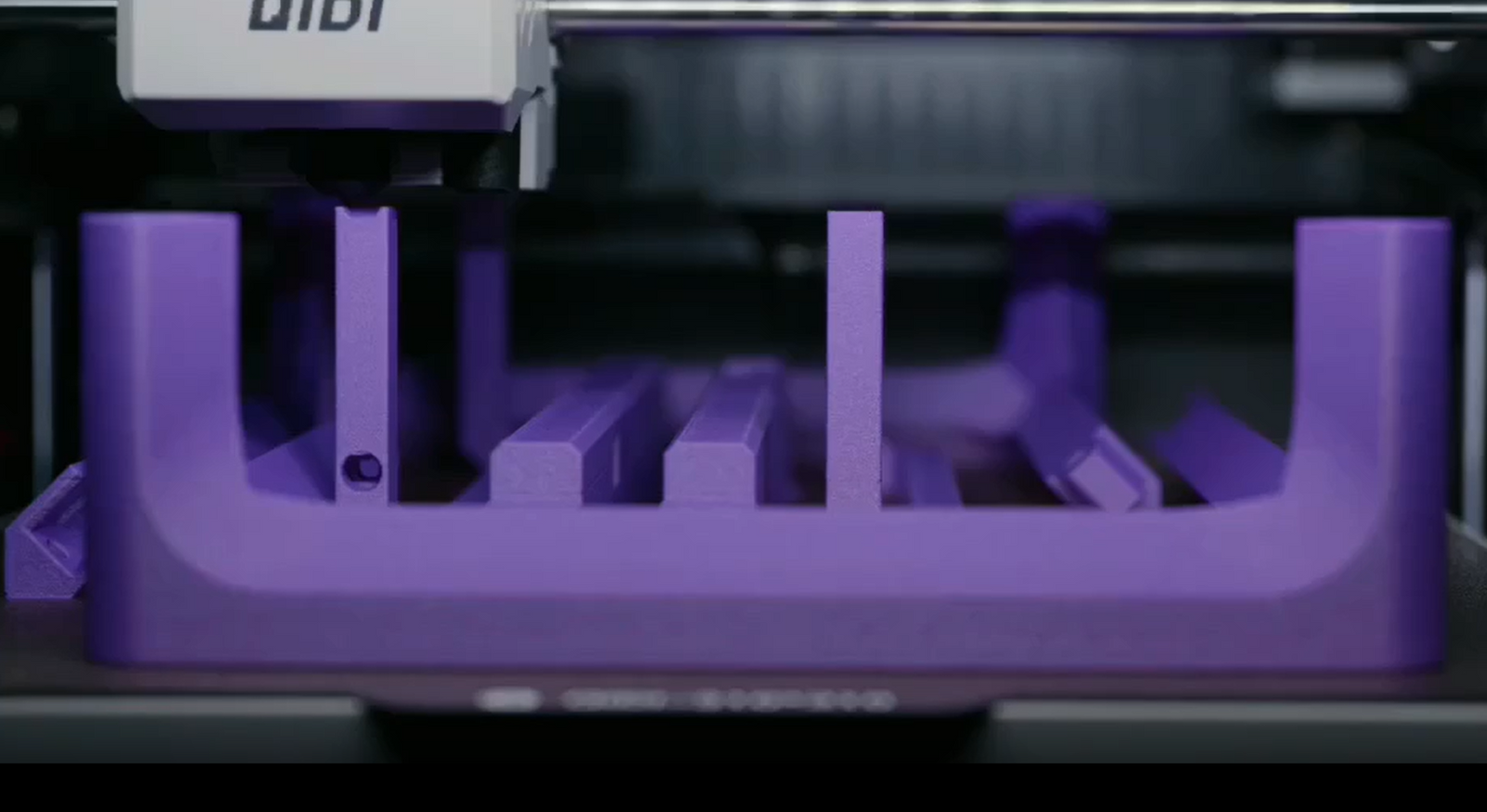
A high-performance 3D printer actually uses purple 3D printing consumables for printing work

3D 프린팅에서 벽 두께는 모델의 성공적인 출력과 사용 중 내구성에 직접적인 영향을 미칩니다. 디자인은 충분한 강도를 확보할 수 있을 만큼 두꺼운 벽을 가져야 하지만, 재료 낭비나 출력 시간 증가를 방지하기 위해 너무 두껍게 설계해서는 안 됩니다. 3D 프린팅 방식에 따라 필요한 벽 두께가 다릅니다. FDM 프린터는 일반적으로 최소 0.8mm 두께의 벽이 필요하지만, 레진 프린터는 0.6mm 두께의 벽도 사용할 수 있습니다. 이 가이드에서는 3D 프린팅 프로젝트에서 벽 두께에 대해 알아야 할 중요한 사항들을 설명합니다.

3D 프린팅 벽 두께에 영향을 미치는 주요 요인

성공적인 3D 프린팅에 필요한 최소 벽 두께는 여러 요소가 복합적으로 작용하여 결정됩니다. 적절한 두께는 프린터의 성능, 사용 재료, 그리고 출력물의 용도에 따라 달라집니다.

3D 프린팅 기술

다양한 인쇄 방법 벽을 쌓는 방식이 다르기 때문에 벽을 얼마나 얇게 만들 수 있는지에 영향을 미칩니다.

1. FDM

FDM 3D 프린터 노즐 크기가 고정되어 있어 견고한 벽을 형성하려면 여러 번 도포해야 합니다. 층 사이의 접착 강도는 최소 벽 두께를 결정하는 데 매우 중요합니다.

A high-performance FDM 3D printer is printing a yellow boat model.

2. SLA

SLA(스테레오리소그래피) 프린터는 레이저의 정밀도를 이용하여 FDM 방식보다 더 섬세한 디테일을 구현합니다. 액체 레진의 특성이 적층 두께에 영향을 미치기 때문에 작고 정교한 형태를 제작하는 데 매우 적합합니다.

3. SLS

SLS(선택적 레이저 소결) 방식은 분말 형태의 재료를 사용하며, 입자 크기에 따라 세부적인 형상 구현이 달라집니다. 이 방식은 복잡한 형상도 제작할 수 있지만, 불필요한 분말을 제거하는 과정에서 벽 두께에 한계가 생깁니다.

4. 멀티젯/폴리젯

멀티젯 및 폴리젯 프린터는 잉크젯 프린터와 유사하게 정밀한 잉크 방울 인쇄 방식을 사용합니다. 다양한 재질을 사용할 수 있지만, 각 재질마다 특정 너비가 필요합니다.

재료 특성

그만큼 3D 프린팅 재료의 종류 선택하는 재료는 최소 벽 두께에 상당한 영향을 미칩니다. 깨지기 쉬운 3D 프린팅 재료는 균열을 방지하기 위해 더 두꺼운 벽이 필요하고, 유연한 재료는 형태를 유지하고 휘어짐을 방지하기 위해 더 두꺼워야 합니다. 일반적으로 더 강한 재료를 사용하면 강도를 희생하지 않고도 더 얇은 벽을 만들 수 있습니다.

재료마다 열에 대한 내성이 다르기 때문에 인쇄 과정과 사용 시 성능에 영향을 미칩니다. 일부 재료는 너무 얇게 인쇄하면 휘거나 변형될 수 있으므로 필요한 최소 두께를 고려하는 것이 중요합니다.

최종 사용자 요구사항

구조적 고려사항

출력물의 용도에 따라 벽 두께가 결정됩니다. 장식용 부품은 두께가 얇아도 되지만, 무게를 지탱해야 하는 부품은 강도를 위해 더 두꺼워야 합니다. 움직이는 부품은 특정 공간이 필요하고, 끼워 맞추는 부품은 제대로 작동하려면 충분히 유연해야 합니다.

환경적 요인

환경적 요인 또한 매우 중요합니다. 얇은 벽은 열에 노출되면 변형될 수 있습니다. 습기에 노출되면 시간이 지남에 따라 일부 재료가 약해질 수 있으므로 강도를 확보하기 위해서는 더 두꺼운 벽이 필요합니다. 자외선 차단 및 접촉 저항성 또한 장기적인 안정성을 위해 필요한 재료 두께에 영향을 미칩니다.

A high-performance 3D printer actually uses purple 3D printing consumables for printing work

다양한 3D 프린팅 방식에 권장되는 벽 두께

최소 벽 두께는 출력 방식과 재료에 따라 다릅니다. 3D 프린팅 프로젝트에 필요한 자세한 권장 사항은 다음과 같습니다.

기술별 최소 벽 두께

인쇄 유형 기본 부품 표준 부품 하중 지지 부품 상세 특징
FDM 0.8mm 1.2mm 2.0 - 2.4mm 1.0mm
SLA 0.6mm 0.8mm 1.2 - 1.5mm 0.6mm
SLS 0.7mm 1.0mm 1.5 - 2.0mm 0.8mm
멀티젯 0.6mm 0.8mm 1.2 - 1.5mm 0.6mm

재질 기반 두께 조정

재질 유형 추가 두께 필요
표준 PLA 조정이 필요 없습니다
ABS/ASA +0.2mm
탄소 섬유 +0.1mm
부드러운 TPU +0.4mm
매우 부드러운 TPU +0.6mm
탄성 수지 +0.3mm

특수 용도

애플리케이션 권장 두께
지지 구조물 1.0 - 1.6mm
움직이는 부품 1.2 - 1.5mm
스냅핏 1.2 - 2.0mm
투명 부품 0.8 - 1.0mm
금형 1.2 - 2.0mm

이러한 측정값은 일반적인 적용 사례를 위한 출발점을 제공합니다. 최종 벽 두께는 사용하시는 프린터의 성능과 부품의 용도를 고려하여 결정해야 합니다.

3D 프린팅 벽 두께 설계 시 고려 사항

전략적인 벽 두께 설계

인쇄 방식에 맞는 기본 벽 두께를 선택한 후, 재료, 모델의 특정 영역에는 특별한 주의가 필요합니다.

스트레스가 높은 영역

  • 마운트 포인트: 기존 벽 두께보다 50% 더 두껍게 시공하십시오.
  • 나사 구멍: 주변 면적은 바닥 두께의 2~3배여야 합니다.
  • 스냅핏: 클립 메커니즘 주변의 벽 두께를 두 배로 늘리십시오.
  • 살아있는 경첩: 유연성을 위해 기본 두께의 75%로 줄이십시오.
  • 지지 갈비뼈: 효율적인 보강을 위해 주벽 두께의 80%를 사용하십시오.

모서리 및 전환 디자인

  • 날카로운 내부 모서리에 1~2mm의 모서리 다듬질 부분을 추가하십시오.
  • 두께 변화는 점진적으로 적용하십시오(최대 45° 각도).
  • 최소 2개를 유지하세요: 1. 연결된 두꺼운 부분과 얇은 부분 사이의 비율.
  • 두께가 급격하게 변하여 약점이 생기는 것을 피하십시오.

인쇄 시간 및 재료 효율성

벽 두께는 자원 사용에 직접적인 영향을 미칩니다.다음은 다양한 벽 디자인이 일반적인 100mm × 100mm × 100mm 부품에 미치는 영향입니다.

디자인 접근 방식 재료 사용 인쇄 시간 상대적 비용
균일한 두께의 벽 (2mm) 200g 5시간 100%
최적화된 가변형 벽 두께(1.2~2mm) 140g 3.5시간 70%
강화 박벽 구조 (1.2mm + 보강 리브) 120g 3시간 60%

몇 가지 설계 접근 방식을 통해 재료 사용량과 인쇄 시간을 줄일 수 있습니다.

  • 두꺼운 벽을 얇은 벽과 지지대를 추가하여 교체하십시오.
  • 넓고 평평한 영역에는 벌집형 또는 삼각형 모양의 채움재를 사용하십시오.
  • 하중을 받는 부분에만 두께를 추가하십시오.
  • 자립형 각도를 설계하세요 (>지지 재료를 줄이기 위해 45° 각도로 기울입니다.

벽 두께를 현명하게 선택하면 부품 강도를 유지하면서 시간과 재료를 크게 절약할 수 있습니다. 각 영역의 두께 균형을 잘 맞추면 효율적이고 내구성이 뛰어난 출력을 더 낮은 비용으로 구현할 수 있습니다.

Wall thickness in 3D printing directly affects whether your model will print successfully and hold up during use. Your design should have walls that are thick enough to be strong, but not so thick that they waste materials or take too long to print. Different 3D printing methods require different wall widths. FDM printers usually need walls that are at least 0.8mm thick, while resin printers can use walls as thin as 0.6mm. This guide explains important things to know about wall thickness for your 3D printing projects.  Key Factors That Affect 3D Printing Wall Thickness  The minimum wall thickness needed for successful 3D printing relies on multiple factors working together. The right thickness depends on your printer's skills, the material you're using, and how the part will be used.  3D Printing Technology  Different printing methods build layers differently, which affects how thin your walls can be.  1. FDM  FDM 3D printers have a fixed nozzle size and require multiple passes to build robust walls. The adhesion strength between layers is crucial when determining the minimum wall thickness.  2. SLA  SLA (Stereolithography) printers use laser precision to make finer details than FDM. The liquid resin's qualities affect how thin the layers can be, which makes these printers great for creating small, detailed shapes.  3. SLS  SLS (Selective Laser Sintering) uses powdered materials, and the size of the particles affects how small the details can be. This method can handle complicated shapes, but removing extra powder limits how thin the walls can be.  4. MultiJet/PolyJet  MultiJet and PolyJet printers use accurate droplet printing, much like how inkjet printers work. They can work with different materials, but each material needs a specific width.  Material Properties  The type of 3D printing material you choose significantly impacts the minimum wall thickness. Brittle 3D printing materials require thicker walls to prevent cracking, whereas flexible materials need additional thickness to maintain their shape and avoid bending. Stronger materials can typically be used to create thinner walls without sacrificing strength.  Different materials can handle heat differently, which influences how they perform during printing and when in use. Some materials can bend or warp if printed too thin, so it's important to think about the minimum width needed.  End Use Requirements Structural Considerations  The aim of your printed part decides how thick the walls need to be. The thickness of items depends on their purpose. Decorative items can be smaller, but parts that support weight need to be thicker for strength. Moving parts need certain spaces, and snap-fit pieces must be flexible enough to function correctly.  Environmental Factors  Environmental factors are also very important. Thin walls that get hot may become misshapen. Exposure to moisture can weaken some materials over time, so stronger walls are needed for strength. The need for UV light protection and resistance to contact also affects how thick materials must be for long-term stability.  Recommended Wall Thickness for Different 3D Printing Methods  The specific minimum wall thickness varies by printing method and material. Here are detailed recommendations for your 3D printing projects.  Minimum Wall Thickness by Technology Print Type	Basic Parts	Standard Parts	Load-Bearing Parts	Detailed Features FDM	0.8mm	1.2mm	2.0 - 2.4mm	1.0mm SLA	0.6mm	0.8mm	1.2 - 1.5mm	0.6mm SLS	0.7mm	1.0mm	1.5 - 2.0mm	0.8mm MultiJet	0.6mm	0.8mm	1.2 - 1.5mm	0.6mm Material-Based Thickness Adjustments Material Type	Additional Thickness Needed Standard PLA	No adjustment needed ABS/ASA	+0.2mm Carbon Fiber	+0.1mm Soft TPU	+0.4mm Very Soft TPU	+0.6mm Elastic Resin	+0.3mm Special Applications Application	Recommended Thickness Support Structures	1.0 - 1.6mm Moving Parts	1.2 - 1.5mm Snap Fits	1.2 - 2.0mm Clear Parts	0.8 - 1.0mm Molds	1.2 - 2.0mm  These measurements provide starting points for common applications. The final wall thickness should account for your specific printer's capabilities and the part's intended use.  Design Considerations for 3D Printing Wall Thickness Strategic Wall Thickness Design  After choosing the basic wall thickness for your printing method and material, certain areas of your model need special attention:  High-Stress Areas Mount points: Add 50% more thickness than your base walls Screw holes: Surrounding area should be 2-3 times the base thickness Snap fits: Double the wall thickness around clip mechanisms Living hinges: Reduce to 75% of base thickness for flexibility Support ribs: Use 80% of main wall thickness for efficient reinforcement Corner and Transition Design Add 1-2mm fillets to sharp internal corners Use gradual thickness transitions (max 45° angle) Maintain minimum 2:1 ratio between connected thick and thin sections Avoid sudden thickness changes that could create weak points Print Time and Material Efficiency  Wall thickness directly impacts resource use. Here's how different wall designs affect a typical 100mm × 100mm × 100mm part:  Design Approach	Material Use	Print Time	Relative Cost Uniform Thick Walls (2mm)	200g	5 hrs	100% Optimized Variable Walls (1.2-2mm)	140g	3.5 hrs	70% Reinforced Thin Walls (1.2mm + ribs)	120g	3 hrs	60%  Several design approaches can reduce material use and print time:  Replace thick walls with thin walls plus support ribs Use honeycomb or triangular infill in wide flat areas Add thickness only to load-bearing sections Design self-supporting angles (>45°) to reduce support material  Smart wall thickness choices lead to significant savings in both time and material while maintaining part strength. The right balance of thickness in different areas creates efficient, durable prints at lower costs.  Testing Methods to Verify 3D Printing Wall Thickness  Before making the end product, testing ensures that the wall thicknesses you selected are effective. Both digital and real tests are important for improving your design.  Digital Testing with CAD Software  CAD thickness analysis shows parts of your design that could be too thin or too thick. This early check helps stop printing problems and weak structures. The program looks at your whole model and points out parts that need changes.  Draft angle analysis looks for steep slopes and overhangs that might create issues with printing. These areas often need extra support or changes in design to be printed properly.  Advanced modeling tools help you understand how your part will perform in real situations. These tests show where stress happens, where things might change shape, and how heat affects them. This information helps make important choices about wall thickness for functional parts.  Physical Test Prints  A small test piece at 25% scale provides practical insights about your design. This scaled-down version should include key features like joints, clips, or mounting points. The smaller size saves time and material while still validating your wall thickness choices.  Test prints help verify several aspects:  Actual printed thickness matches design specifications Layer adhesion quality in thin sections Performance of functional features Strength of thickness transitions  Each test reveals opportunities for improvement. Thin areas might need reinforcement, while thick sections could potentially be reduced. This practical feedback helps refine your design efficiently.  Common Mistakes in Wall Thickness Design  Poor wall thickness decisions can lead to print failures or part performance issues. Here are the most common mistakes and their solutions.  Inconsistent Wall Thickness  Sudden thickness changes in a model are a frequent error. For example, shifting from 2mm to 0.8mm causes:  Poor layer bonding during printing Stress concentration leading to cracks Extrusion issues and print defects  Solution: Design gradual transitions with thickness changes no steeper than 45 degrees. Limit changes to 0.2mm per 1mm of distance.  Excessive Wall Thickness  Walls that are too thick create several problems:  Wasted material and longer print times Warping from uneven cooling between inner and outer layers Unnecessary part weight  Solution: Add thickness only in load-bearing areas. Keep other regions at recommended base thickness. Use support ribs to increase strength instead of simply making walls thicker.  Insufficient Wall Thickness  Walls that are too thin often result from prioritizing detail or trying to save material:  Unable to handle normal use stresses Prone to breakage or deformation during printing Poor surface quality  Solution: Follow minimum wall thickness requirements for your printing technology. For decorative features, strengthen the supporting structure rather than compromising on minimum thickness.  Design Your 3D Printing Wall Thickness Right!  The right wall thickness is important for efficient 3D printing. Use the suggested minimum width for your printing method and material, and then change it if necessary for your specific part. Use online tests and small printed samples to check your design. By designing wall thickness carefully to avoid rapid changes and address stress points, you can make strong, efficient parts while saving time and materials.

3D 프린팅 벽 두께 검증을 위한 테스트 방법

최종 제품을 만들기 전에 테스트를 통해 선택한 벽 두께가 효과적인지 확인해야 합니다. 디지털 테스트와 실제 테스트 모두 설계 개선에 중요합니다.

CAD 소프트웨어를 이용한 디지털 테스트

CAD 두께 분석은 설계에서 너무 얇거나 너무 두꺼운 부분을 보여줍니다. 이러한 초기 검사를 통해 인쇄 문제 및 구조적 결함을 방지할 수 있습니다. 프로그램은 전체 모델을 분석하여 수정이 필요한 부분을 알려줍니다.

드래프트 각도 분석은 인쇄에 문제를 일으킬 수 있는 가파른 경사면이나 돌출부를 찾아냅니다. 이러한 부분은 제대로 인쇄하기 위해 추가적인 지지대가 필요하거나 설계를 변경해야 하는 경우가 많습니다.

고급 모델링 도구를 사용하면 부품이 실제 상황에서 어떻게 작동할지 이해할 수 있습니다. 이러한 테스트를 통해 응력이 발생하는 위치, 형상이 변형될 수 있는 부분, 열이 부품에 미치는 영향 등을 파악할 수 있습니다. 이 정보는 기능성 부품의 벽 두께에 대한 중요한 결정을 내리는 데 도움이 됩니다.

물리적 테스트 프린트

25% 축소 모형을 제작하면 설계에 대한 실질적인 통찰력을 얻을 수 있습니다. 이 축소 모형에는 접합부, 클립, 장착 지점과 같은 주요 특징이 포함되어야 합니다. 크기가 작으면 시간과 재료를 절약하면서도 벽 두께 선택의 타당성을 검증할 수 있습니다.

테스트 출력은 여러 측면을 확인하는 데 도움이 됩니다.

  • 실제 인쇄 두께는 설계 사양과 일치합니다.
  • 얇은 부분에서의 층 접착 품질.
  • 기능적 특징의 성능.
  • 두께 변화의 강도.

각 테스트는 개선의 기회를 보여줍니다. 얇은 부분은 보강이 필요할 수 있고, 두꺼운 부분은 두께를 줄일 수 있을 것입니다. 이러한 실질적인 피드백은 설계를 효율적으로 개선하는 데 도움이 됩니다.

벽 두께 설계 시 흔히 저지르는 실수

벽 두께를 잘못 선택하면 출력 실패나 부품 성능 저하로 이어질 수 있습니다. 다음은 가장 흔한 실수와 그 해결책입니다.

벽 두께가 일정하지 않음

모델 두께가 갑자기 변하는 것은 흔히 발생하는 오류입니다. 예를 들어, 2mm에서 0.8mm로 변경하면 다음과 같은 문제가 발생합니다.

  • 인쇄 중 층 접착 불량.
  • 응력 집중으로 인한 균열 발생.
  • 압출 문제 및 인쇄 결함.

해결책: 두께 변화 각도가 45도를 넘지 않도록 점진적으로 설계하십시오. 거리 1mm당 두께 변화는 0.2mm를 넘지 않도록 제한하십시오.

과도한 벽 두께

벽이 너무 두꺼우면 여러 가지 문제가 발생합니다.

  • 재료 낭비 및 인쇄 시간 증가.
  • 워핑 내부층과 외부층 사이의 불균일한 냉각으로 인해 발생합니다.
  • 불필요한 부품 무게.

해결책: 하중을 받는 부분에만 두께를 추가하고, 나머지 부분은 권장되는 기본 두께를 유지하십시오. 벽을 단순히 두껍게 만드는 대신, 보강 리브를 사용하여 강도를 높이십시오.

벽 두께 부족

벽이 너무 얇은 것은 종종 세부적인 부분에 치중하거나 재료를 절약하려다 발생하는 결과입니다.

  • 일반적인 사용 환경에서 발생하는 스트레스를 견디지 ​​못합니다.
  • 인쇄 중 파손이나 변형이 발생하기 쉽습니다.
  • 표면 품질이 좋지 않습니다.

해결책: 사용하는 인쇄 기술의 최소 벽 두께 요구 사항을 준수하십시오. 장식적인 요소를 추가할 경우, 최소 두께를 맞추기보다는 지지 구조를 강화하는 것이 좋습니다.

3D 프린팅 벽 두께를 제대로 설계하세요!

효율적인 3D 프린팅을 위해서는 적절한 벽 두께가 중요합니다. 사용하는 프린팅 방식과 재료에 맞는 최소 두께를 기준으로 삼고, 필요에 따라 특정 부품에 맞게 두께를 조정하십시오. 온라인 테스트와 작은 출력 샘플을 활용하여 설계를 검증하는 것이 좋습니다. 벽 두께를 신중하게 설계하여 급격한 변화를 피하고 응력 지점을 고려하면, 시간과 재료를 절약하면서 견고하고 효율적인 부품을 제작할 수 있습니다.

자주 묻는 질문

저희 3D 프린팅 장비 및 서비스에 대한 가장 궁금한 질문에 대한 답변을 찾아보세요.

3D 프린팅은 디지털 파일을 이용하여 3차원 물체를 제작하는 공정입니다. 플라스틱이나 금속과 같은 재료를 층층이 쌓아 최종 제품을 만듭니다. 이 혁신적인 기술은 맞춤 제작과 신속한 시제품 제작을 가능하게 합니다.

저희는 모든 제품에 대해 빠르고 안정적인 배송 서비스를 제공합니다. 주문이 완료되면 배송 추적 번호를 받아보실 수 있으며, 배송 진행 상황을 확인하실 수 있습니다. 배송 시간은 지역에 따라 다를 수 있습니다.

저희 3D 프린터는 제조상의 결함에 대해 1년 무상 보증을 제공합니다. 추가 보증 옵션도 구매 가능합니다. 자세한 내용은 보증 정책을 참조하십시오.

네, 저희는 간편한 반품 정책을 운영하고 있습니다. 구매하신 제품에 만족하지 못하시면 30일 이내에 반품하시면 전액 환불해 드립니다. 단, 제품은 원래 상태 그대로여야 합니다.

물론입니다! 저희 전담 지원팀이 모든 질문이나 문제에 대해 도움을 드릴 준비가 되어 있습니다. 이메일이나 전화로 연락 주시면 신속하게 지원해 드리겠습니다. 또한, 종합적인 온라인 자료 센터도 운영하고 있습니다.

아직도 질문이 있으신가요?

문의사항이 있으시면 언제든지 연락주세요.