Q2
Q2
 QIDI Box
 Plus 4
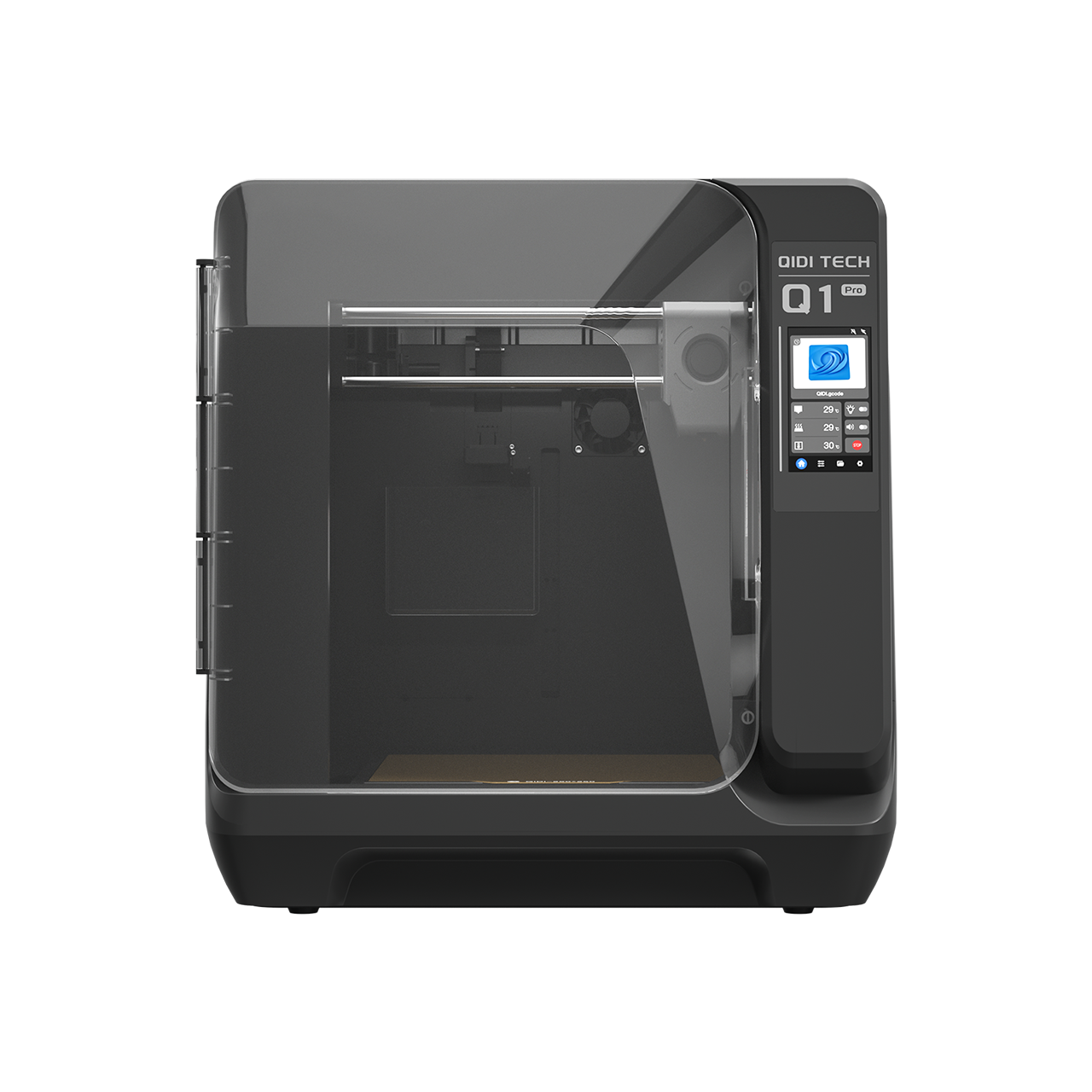 Q1 Pro
 X-Max 3


From First Layer to Final Prototype: How to Find the Perfect 3D Printer for Your Projects


The right 3D printer is decided by two things: the largest part you print regularly, and whether your materials need a heated chamber. Everything else is preference. PLA and PETG run fine in an unheated enclosure; ABS, ASA and nylon want 60–65 °C chamber air. Settle those two questions and the shortlist usually collapses to one or two machines.
There is a particular satisfaction in watching a file on your screen materialise into an object you can hold. 3D printing has moved from high-tech labs into homes, workshops and offices, but taking the first step still feels overwhelming: a market flooded with models and a dictionary of terms like FDM, CoreXY and SLA. This guide gives you a project-based framework for choosing, so you can select a machine that matches your actual work rather than the most impressive spec sheet.
Quick Start: A 60-Second Printer Match
Before you compare models, answer these three questions:
- What are you printing most often? (functional parts, prototypes, miniatures, decor)
- What materials do you need? (PLA only vs PETG/ABS/ASA/nylon)
- How much “setup and tuning” are you willing to do? (low vs medium vs high)
If you want a simple first printer for everyday prints, start with FDM. If you need very fine detail and smooth surfaces (like small figurines), you should also consider resin/SLA—with the tradeoff of more cleanup and stricter safety habits.

What is 3D Printing and Why is an FDM 3D Printer a Great Start?
At its core, 3D printing builds objects layer by layer from a digital design. It is also called additive manufacturing because it adds material to create an object, unlike traditional methods that subtract material by cutting or drilling. While there are several types of 3D printing technology, the most common and accessible for newcomers is Fused Deposition Modeling, or FDM.
Fused filament fabrication is a process in which a thermoplastic filament is melted and extruded through a moving nozzle to build a part one layer at a time. Think of it as a highly precise, computer-controlled hot-glue gun. For most people starting out, FDM is the right choice: the printers are affordable, the parts are durable, and the material range is wide. That combination makes an FDM 3D printer a versatile and cost-effective foundation for almost any project.
Which Type of 3D Printer is Right for My Project-Based 3D Printing?
The important question is not “what is the best 3D printer?” but “what is the best 3D printer for me?”. The answer depends on the projects you plan to tackle. Let’s break down the common user types and the features they should look for.
A Practical Snapshot: What Matters Most by Project Type
| Your main projects | Best starting tech | Why it fits | Watch-outs |
| Household gadgets, brackets, organizers | FDM | Strong parts, low mess, low cost | Surface finish shows layer lines |
| Prototypes (fit checks, enclosures) | FDM | Fast iteration, durable, many filaments | Advanced materials may need enclosure/warm environment |
| Miniatures, jewelry masters, tiny details | Resin/SLA | Very high detail, smooth surfaces | More post-processing + stricter safety/handling |
| Outdoor parts (sun/heat exposure) | FDM | ASA/PETG options | Material choice + printer capability matters |
For the Hobbyist & Creative Beginner
If you are just starting, your projects likely involve learning the ropes and having some fun. You might be printing small toys, figures for a tabletop game, useful household gadgets, or custom phone stands. Your focus is on creativity and exploration.
What you need in a 3D printer:
- Ease of Use: The machine should work well out of the box with minimal complex setup.
- Reliability: You want to spend your time printing, not troubleshooting.
- Safety and Simplicity: Features that make the process smoother and safer are a priority.
For these goals, look for an entry-level, user-friendly printer. The key feature to demand is reliable automatic bed leveling, which handles one of the most frustrating parts of setup for you. A simple touchscreen and a build volume that fits on a desk are also ideal. An enclosure improves print consistency and adds a layer of protection around hot parts, which matters more than most beginners expect.
For the Advanced Maker & Product Designer
Your projects have grown in scale and complexity. You are creating functional prototypes to test form and fit, larger decorative pieces, or custom enclosures for electronics. You need parts that are not just visually appealing, but strong and potentially heat-resistant.
What you need in a 3D printer:
- Material Versatility: The ability to print with filaments like PETG, ABS, or ASA (and possibly nylon blends, depending on your work).
- Larger Build Volume: Your ideas need more space to come to life.
- High Precision: Your functional parts require tight tolerances.
You should be looking for a versatile, mid-size prosumer printer. A warm, stable build environment, at minimum a solid enclosure and in many cases an actively heated chamber, makes a major difference with ABS and ASA, especially on larger parts, because it reduces warping and layer splitting. An actively heated chamber is not the only way to print ABS successfully, but it markedly improves success rates when conditions are challenging. Prioritise a rigid all-metal frame and high-precision motion components alongside it.
For the Engineer & Small Business Owner
You are pushing the technology. Your work may involve large functional models, end-use parts for sale, or jigs and fixtures that improve your workshop’s workflow. Time is money and performance is paramount.
What you need in a 3D printer:
- Maximum Build Volume: Your projects are large, or you need to produce multiple parts at once.
- Speed and Efficiency: You need to iterate quickly and meet production demands.
- Consistent Performance: The printer must run reliably for many hours or days at a time.
Your search should focus on a large-format 3D printer. Here the main priority is build volume, but do not let size come at the expense of professional features. Ensure the machine still includes the essentials from the prosumer class, an enclosure with chamber heating and rock-solid construction. High-speed performance, usually supported by a CoreXY motion system and modern vibration control, also matters, because it keeps large prints practical against a real schedule.
Matching the Tiers to Real Machines
Abstractions are easier to act on with concrete numbers attached. Here is how QIDI's current four models map onto the three profiles above. All four share a 370 °C hotend, a direct-drive extruder, a 120 °C bed and Klipper firmware, so the meaningful differences are size, speed and chamber heating.
| Profile | Model | Price | Build volume | Max speed | Heated chamber |
|---|---|---|---|---|---|
| Beginner, PLA and PETG | Q2C | $349 | 270 × 270 × 256 mm | 600 mm/s, 20,000 mm/s² | No — enclosed, not heated |
| Beginner moving into engineering plastics | Q2 | $499 | 270 × 270 × 256 mm | 600 mm/s, 20,000 mm/s² | Yes — 65 °C |
| Advanced maker, product designer | Plus 4 | $699 | 305 × 305 × 280 mm | 600 mm/s | Yes — 65 °C |
| Engineer, small business | Max4 | $1,049 | 390 × 390 × 340 mm | 800 mm/s, 30,000 mm/s² | Yes — 65 °C |
The one decision worth pausing on is the $150 step from Q2C to Q2. Both machines are the same size and the same speed. The Q2 adds an actively heated 65 °C chamber. If there is any chance ABS, ASA or nylon appears in your first year, that is the cheapest capability upgrade in the lineup.
When Should You Consider Resin/SLA Instead of FDM?
FDM is the best default for most beginners, but stereolithography can be the better tool when:
You need very fine detail and smooth surfaces (miniatures, small figurines, display pieces).
You don’t mind extra post-processing (washing and curing), and you can follow strict safety habits.
Your workflow can handle resin handling, cleanup, and proper storage.
If your main projects are functional brackets, tool holders, organizers, prototypes, and larger parts, FDM will usually be the simpler and more cost-effective choice.

What Key Features Should I Look For in a Modern 3D Printer?
As you compare models, you will encounter a lot of technical terms. Here is what the important ones actually mean for your experience.
CoreXY Kinematics: CoreXY is a motion system in which two stationary motors drive the print head through a crossed belt arrangement, keeping moving mass low. For you, this usually means higher speeds and accelerations with less ringing. Print quality still depends on rigidity, tuning and the extrusion system, but CoreXY designs are the standard for fast, stable motion.
Heated Chamber (or a Solid Enclosure): An enclosure is a sealed cabinet around the build area; a heated chamber actively holds that air at an elevated temperature. The purpose is a stable environment around the print. This is a major advantage for ABS and ASA, because it slows the rapid cooling that causes warping and cracking. A heated chamber is a strong success multiplier, especially on larger prints, but it is not the only path to good results.
Automatic Bed Leveling: A sensor measures points across the build surface and the firmware compensates for minor unevenness. It dramatically improves first-layer consistency, which is the foundation of every successful print.
Direct Drive Extruder: A direct drive system mounts the extruder motor directly at the hot end rather than remotely. This gives better control over the filament, which matters for flexible materials and for maintaining quality at higher speeds.
Input Shaping: A firmware feature that measures the machine's resonant frequencies and adjusts motion commands to cancel the vibration they cause. Klipper's resonance compensation documentation explains the mechanism. In practice it is what allows a modern machine to print at 600 mm/s without ghosting artefacts on vertical edges.
A Simple 72-Hour Setup and Verification Plan (No Lab Tests Needed)
If you want confidence that your new printer is behaving correctly, you do not need fancy equipment. You need a repeatable routine.
Day 1: First-Layer and Adhesion Check
Print a simple first-layer test (a flat pattern that covers much of the bed). You are watching for:
- Even squish across the bed (no overly thin or overly thick lines)
- No corners lifting
- Smooth, consistent lines without gaps
If the first layer is inconsistent, focus on Z-offset, bed leveling calibration, and a clean build plate.
Day 2: Basic Quality and “Reality Check”
Print a small calibration cube or a simple mechanical part (a bracket or clip). You are watching for:
- Stringing (wispy hairs)
- Poor corners or ringing (wavy edges)
- Layers separating under light bending
This is where temperature, cooling, and print speed choices start to matter. Make one change at a time so you can see what actually helped.
Day 3: A Functional Stress Test That Matches Your Projects
Pick a test that looks like your real work:
- For functional parts: a small hook, clamp, or snap-fit piece
- For prototypes: an enclosure corner or a threaded insert test piece
- For big prints: a tall, narrow object that reveals vibration and stability
If your goal includes ABS/ASA, start with a smaller part first. Once you can get consistent results, scale up gradually. Large ABS parts are where enclosures and warm, stable air matter most.
How Much Work is a 3D Printer to Maintain?
Early consumer 3D printers often required the patience of a saint and the skills of a mechanic. The industry has matured. Modern machines are designed for reliability and require far less tinkering, and the important maintenance tasks are simple.
Keep the build plate clean so prints adhere properly. Periodically check that the nozzle is clear of debris and that belts are appropriately tensioned. Beyond those checks, most upkeep is following the manufacturer’s guidance for lubricating moving parts. Think of it as simple upkeep for a valuable tool, not a complex engineering challenge.
A Practical Maintenance Rhythm
After prints (or daily):
- Wipe the build plate as recommended for your surface
- Remove stray filament strings and check the nozzle area for buildup
Weekly (or every ~10–20 print hours):
- Inspect belts for obvious looseness
- Check the hot end area for plastic buildup that could turn into a clog
Monthly (or every ~50–100 print hours):
- Clean and lubricate motion components per the manufacturer’s instructions
- Re-check first-layer behavior and re-run leveling calibration if needed
The Real Cost of Ownership (So Your Budget Doesn’t Get Surprised)
The printer price is only one part of what you pay. Typical ongoing costs include:
- Filament (your real “fuel” cost), typically $20–$50 per 1 kg spool depending on material
- Wear parts (nozzles, build surfaces, small consumables)
- Time cost (failed prints, reprints, tuning)
- Post-processing (tools, storage, cleanup supplies, especially for resin workflows)
If you want the lowest hassle and lowest hidden costs, prioritise reliability and first-layer consistency over chasing the absolute cheapest model. Browse the filament range before you buy the printer; matching material to application is what makes the parts last.
Safety Notes and Responsible Use
3D printers are tools with hot surfaces and moving parts. Some materials and workflows also introduce fumes or chemical exposure risks. A few habits make a real difference:
- Keep the printer on a stable surface, away from clutter and flammables.
- Avoid leaving long prints unattended until you know your machine is stable and consistent.
- Use ventilation appropriate to the materials you print, especially for higher-temperature filaments.
- If using resin printers, follow safe handling practices (avoid skin contact, prevent spills, and manage cleanup responsibly).
- If children or pets are in the space, an enclosure and sensible placement reduce risk.
Disclaimer: This guide provides general buying and usage guidance for typical consumer printing. Always follow your printer manufacturer’s safety instructions and material handling guidance. If you are planning electrical modifications, permanent ventilation, or any setup beyond normal home use, consult a qualified professional.
How Can You Start Your 3D Printing Journey Today?
Choosing the right 3D printer is a process of matching the machine to your mission. It is not about finding a single “best” model, but about understanding your goals and identifying the features that get you there.
You can begin with a reliable, user-friendly machine to master the fundamentals. As your skills grow and your ambitions expand, you can move to a model that supports tougher materials in a stable, heated build environment. When your ideas become genuinely large, a large-format printer takes over. Compare the full lineup side by side in our QIDI printer comparison when you are ready to commit.
5 FAQs about Successful 3D Printing
Q1. What should I check before buying a printer to avoid hidden limitations?
Measure where the printer will live, including space for the door to open if it is enclosed. Confirm power requirements, noise expectations, and whether you can vent the room if you plan to print higher-temperature materials. Also check slicer support, firmware update cadence, and spare-part availability.
Q2. Which files and software do I need to start printing successfully?
You typically download STL or 3MF files and prepare them in a slicer, which converts the model into printer instructions. Models are usually authored in CAD software. Look for a printer with a well-supported slicer profile and a large user community; good defaults matter more than fancy settings when you are learning.
Q3. How do I choose the right build plate surface and adhesion method?
Smooth and textured plates behave differently. Textured surfaces often grip PETG and PLA well, while smooth plates can give cleaner bottoms but may need careful cleaning. Avoid overusing glue as a crutch. Start with manufacturer guidance, then adjust based on first-layer results and easy release.
Q4. What’s the best way to reduce print failures caused by filament moisture?
Store filament in a sealed container with desiccant, and keep spools off open shelves in humid rooms. If prints suddenly get stringy, bubbly, or brittle, drying the filament can restore consistency. For moisture-sensitive materials like nylon, a dedicated dry box helps during printing.
Q5. Do I need a heated chamber, or is an enclosure enough?
An unheated enclosure is enough for PLA, PETG and TPU, which covers most first-year printing. An actively heated chamber at 60–65 °C is what makes ABS, ASA, nylon and polycarbonate reliable, particularly on parts over about 100 mm tall. In QIDI's lineup that is the practical difference between the Q2C and everything above it.
- Quick Start: A 60-Second Printer Match
- What is 3D Printing and Why is an FDM 3D Printer a Great Start?
- Which Type of 3D Printer is Right for My Project-Based 3D Printing?
- A Practical Snapshot: What Matters Most by Project Type
- For the Hobbyist & Creative Beginner
- For the Advanced Maker & Product Designer
- For the Engineer & Small Business Owner
- Matching the Tiers to Real Machines
- When Should You Consider Resin/SLA Instead of FDM?
- What Key Features Should I Look For in a Modern 3D Printer?
- A Simple 72-Hour Setup and Verification Plan (No Lab Tests Needed)
- Day 1: First-Layer and Adhesion Check
- Day 2: Basic Quality and “Reality Check”
- Day 3: A Functional Stress Test That Matches Your Projects
- How Much Work is a 3D Printer to Maintain?
- A Practical Maintenance Rhythm
- The Real Cost of Ownership (So Your Budget Doesn’t Get Surprised)
- Safety Notes and Responsible Use
- How Can You Start Your 3D Printing Journey Today?
- 5 FAQs about Successful 3D Printing
- Q1. What should I check before buying a printer to avoid hidden limitations?
- Q2. Which files and software do I need to start printing successfully?
- Q3. How do I choose the right build plate surface and adhesion method?
- Q4. What’s the best way to reduce print failures caused by filament moisture?
- Q5. Do I need a heated chamber, or is an enclosure enough?
Recommended products