Beyond PLA: The Ultimate Guide to Flawless ABS & ASA 3D Printing

Share this post
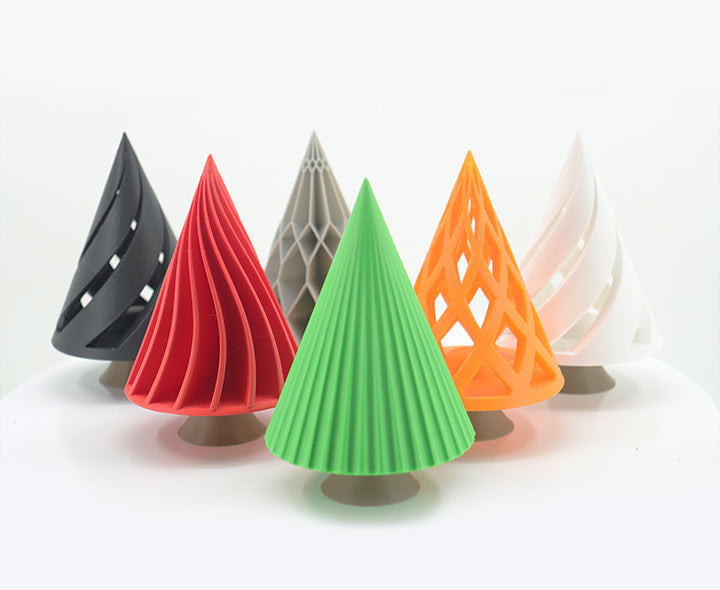
Colorful cone - shaped 3D - printed objects, showcasing creative parts made with advanced filaments like ABS/ASA, highlighting the material versatility for 3D printing projects.

You’ve mastered PLA and are ready to create tougher, real-world parts with materials like ABS and ASA. But if you’ve tried, you likely know the frustration of warped or cracked prints that make you question if it's worth the headache. Here's the good news: it's not your fault. It’s a common physics problem with a straightforward solution. This guide will show you exactly why it happens and how an enclosed 3D printer is the secret weapon you need to get flawless, engineering-grade results every time.

Why Should Your Next 3D Printing Project Use ABS or ASA?

Before we get into the weeds, let's quickly cover why you'd even want to bother with these materials. Switching to ABS or ASA is a real game-changer for anyone who’s serious about their prints. You end up with parts that work and last in the real world.

A 3D - printed headphone stand, demonstrating a functional part created with engineering - grade materials, ideal for showing the practical application of ABS/ASA 3D printing.
  • Acrylonitrile Butadiene Styrene (ABS) has been a go-to in the manufacturing world forever, and for good reason. It’s tough and holds up well against impact, which is great for things like mechanical parts or protective cases. Plus, you can sand it, drill it, and even use acetone vapor to give it a super smooth, glossy finish. This ability to post-process your prints really takes your 3D printing work to the next level.
  • Acrylonitrile Styrene Acrylate (ASA) is like ABS’s tougher sibling, built for the outdoors. It has all the strength of ABS but also has fantastic UV resistance. That means parts made from ASA won’t get brittle or yellow in the sun, making it the perfect choice for things like garden tools, custom car parts, or outdoor sensor mounts.

What Causes the Infamous Warping and Cracking in ABS/ASA 3D Printing?

Anyone who’s tried printing with ABS knows the frustration of a warped or cracked print. It might feel like random bad luck, but it's actually just physics at work. The entire problem boils down to one thing: thermal contraction.

It’s a simple concept. All plastics get bigger when they get hot and shrink when they cool down. The trouble with ABS and ASA is that they shrink a lot more than materials like PLA. Your 3D printer lays down plastic at around 260°C (500°F), but the air around it, even with a heated bed, is much, much cooler.

This huge gap in temperature—often called the "temperature delta"—is the real troublemaker.

Here’s the step-by-step breakdown of how a print fails on a typical open-air 3D printer:

  • The first hot layer goes down. It immediately starts to cool and shrink against the relatively cool air and the build plate.
  • This shrinking creates a powerful pulling force, or stress, across the bottom of the print.
  • Eventually, that stress becomes too strong for the print to stay stuck to the bed, and the corners lift up. That’s warping.
  • This process continues with every new layer. The stress builds up, and a random draft from a window can make it even worse. This internal tension can literally pull the layers apart, leaving you with a layer split or crack.

You're basically asking the material to handle a massive temperature shock, and it causes the print to self-destruct. This is the core challenge of 3D printing with these high-performance materials.

How Does an Enclosed 3D Printer Perfectly Solve These Printing Challenges?

Since we know the problem is an unstable, cool environment, the solution is refreshingly straightforward: you need to control the environment. That is exactly what an enclosed 3D printer is built to do. It turns the print area into a controlled, stable space and fixes the root cause of the problem in a few key ways:

  • It Creates a Stable, Heated Bubble: The enclosure traps all the heat coming off the hotend and the print bed. This brings the temperature inside from a normal 25°C (77°F) up to 60°C (140°F) or more. That drastically reduces the temperature shock on the freshly laid plastic. The whole part then gets to cool down slowly and evenly, which prevents the stress that causes warping and cracking in the first place.
  • It Delivers Top-Tier Results with Active Heating: For anyone truly serious about printing with engineering materials, the "gold standard" is active chamber heating. Unlike just trapping heat, a 3D printer with this feature has its own heater and thermostat to keep the chamber at a precise, ideal temperature. You’re not just defending against the cold; you’re creating the perfect ecosystem for your print. It takes all the guesswork out of the equation.
  • It Adds Some Great Practical Perks: On top of managing heat, an enclosure acts like a great shield. It keeps dust and unexpected drafts from messing up your print. It also does a nice job of containing the fumes and odors from ABS and ASA, which makes for a cleaner, safer, and much more pleasant workspace.

What Features Should Your Next 3D Printer Have for Advanced Materials?

When you're ready to graduate from the basic filaments, the printer you use starts to matter a lot more. To get great results with materials like ABS and ASA, you need a 3D printer that’s properly equipped for the task. Here are the key things to look for:

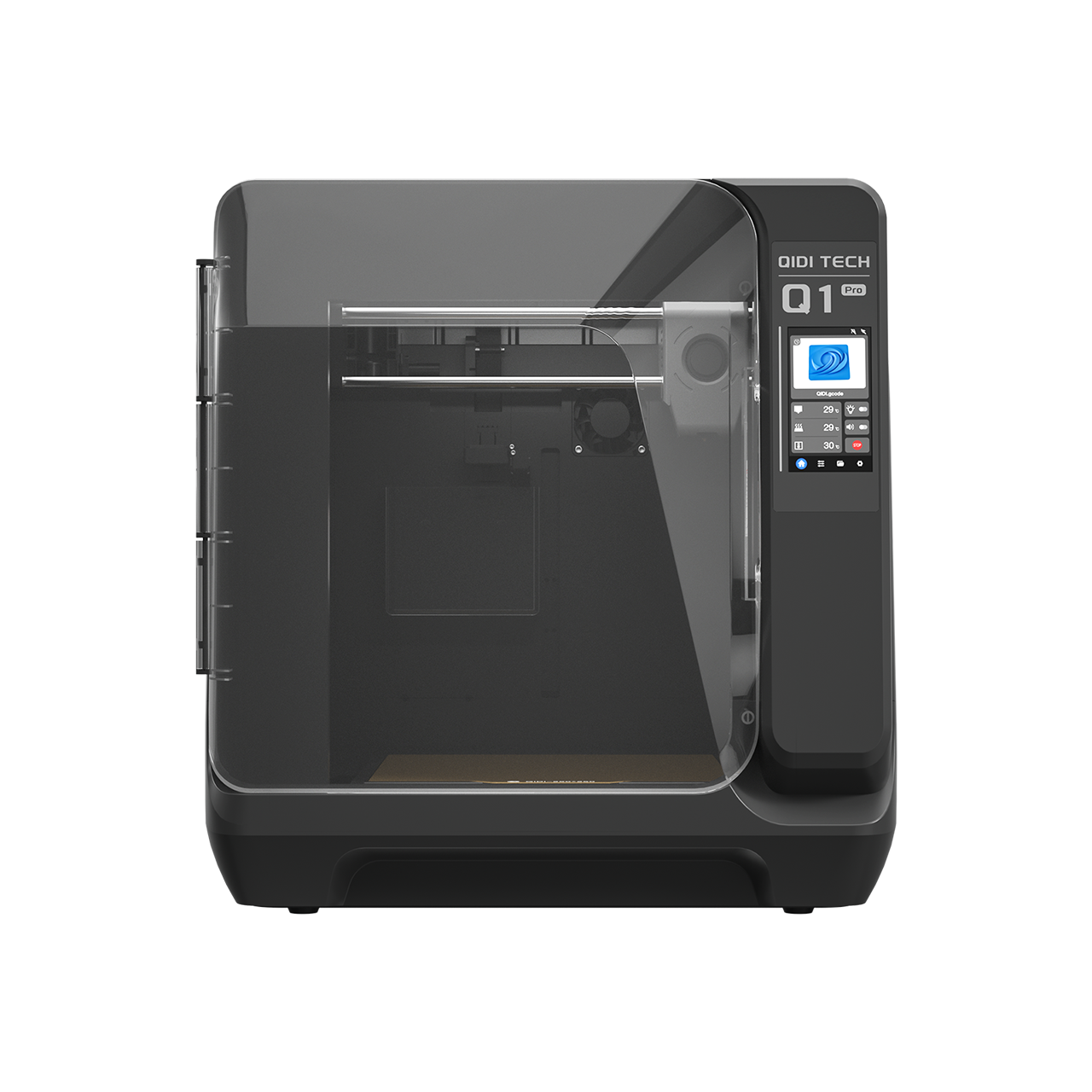
  • A Fully Enclosed Chamber: As we’ve covered, this is the number one feature. It gives you the stable, warm environment you need to prevent warping. A machine with active heating is the best of the best.
  • A High-Temperature, All-Metal Hotend: ABS and ASA need to be printed hotter than PLA. An all-metal hotend can handle these high temperatures without a problem, unlike entry-level hotends that have internal plastic tubes that can degrade over time.
  • A Solid, Sturdy Frame: Long prints demand a machine that is mechanically solid. A heavy, stable frame reduces vibrations and shaking, which means every layer is placed exactly where it should be. This is key to getting accurate parts with clean-looking surfaces.

What Are Your Final Settings for a Perfect ABS/ASA Print?

Getting the right hardware is half the battle. The last piece of the puzzle is dialing in your slicer settings. You should always start with what your filament brand recommends, but this table is a fantastic starting point for almost any setup.

Setting Recommended Value Why It Matters
Nozzle Temperature 240 - 270°C This ensures the plastic melts properly for strong layer bonds.
Bed Temperature 100 - 110°C Absolutely critical for getting that first layer to stick down tight.
Chamber Temperature ~60°C (if active) This is your target for the surrounding air to prevent temperature shock.
Part Cooling Fan OFF for first 10 layers, then 20-30% max The fan is usually your enemy here since it cools things too fast. Only use it a tiny bit if you have to.
Bed Adhesion Aid Use a Brim or Raft This gives your print a bigger footprint on the bed, giving it extra grip to fight lifting.

One last pro-tip: keep your filament dry! ABS and ASA love to absorb moisture from the air, a problem called being "hygroscopic." Printing with wet filament will cause sizzles and pops at the nozzle and leave you with a weak, ugly print. Always store your spools in a sealed container with a desiccant pack.

Colorful cone - shaped 3D - printed objects, showcasing creative parts made with advanced filaments like ABS/ASA, highlighting the material versatility for 3D printing projects.

Your Next Steps to Flawless Prints

Stepping up from PLA to ABS and ASA is a big milestone in anyone's 3D printing journey. It’s when you go from making models to making real, functional parts. While the headaches of warping and cracking are very real, they aren't some unbeatable mystery. They're just a physics problem.

And that problem has a physics-based solution: create a stable, controlled environment. An enclosed 3D printer is the right tool for that job. It takes the environmental guesswork out of the picture and lets you finally unlock the true strength and durability of these amazing materials. With a 3D printer that's actually built for the task, you stop hoping for a good result and start engineering one.

Table of contents

FAQ

当社の 3D プリンターとサービスに関する最も緊急な質問への回答を見つけてください。

3Dプリントとは、デジタルファイルから立体的な物体を作成するプロセスです。プラスチックや金属などの材料を重ね合わせて最終製品を作り上げます。この革新的な技術により、カスタマイズと迅速な試作が可能になります。

すべての商品に、迅速かつ信頼性の高い配送オプションをご用意しております。ご注文が完了すると、追跡番号をお送りし、配送状況をご確認いただけます。配送時間は、お住まいの地域によって異なる場合があります。

当社の3Dプリンターには、製造上の欠陥に対する1年間の保証が付いています。延長保証オプションもご購入いただけます。詳細は保証ポリシーをご覧ください。

はい、返品ポリシーをご用意しております。ご購入いただいた商品にご満足いただけない場合は、30日以内にご返品いただければ全額返金いたします。商品が元の状態であることをご確認ください。

もちろんです!ご質問や問題がございましたら、専任のサポートチームがサポートいたします。メールまたはお電話でお問い合わせいただければ、迅速なサポートをご提供いたします。また、包括的なオンラインリソースセンターもご用意しております。

まだ質問がありますか?

ご質問がありましたらお気軽にお問い合わせください。